
How AI Music Generation Actually Works
Imagine typing a sentence like "upbeat indie-folk song with acoustic guitar and male vocals" and getting a finished track in under a minute. That's the reality of modern AI music generation. But what happens between your typed description and the final audio file?
How Artificial Intelligence Turns Texts and Ideas into Full-Fledged Songs
In general, AI-based music generation tools rely on two main architectures. The first is transformer models, similar to the technology behind ChatGPT, which sequentially predict audio tokens. Platforms like Suno and tools like Music GPT use this approach to generate melody, harmony, rhythm, and vocals simultaneously in a single pass. The second architecture is diffusion models, which operate on a principle similar to the mechanism of AI-based image generators like Stable Diffusion. The process starts with background audio noise, which is gradually transformed into a coherent musical signal with natural dynamics and texture.
Both methods have something in common: they were trained on extensive datasets of existing music. By analyzing millions of music tracks, these models learn patterns such as chord progressions, genre-specific recording characteristics, song structures, and even vocal phrasing. When generating new compositions, they do not copy existing songs but predict the next sound elements based on probabilistic calculations, creating something new each time.
So what's the result? You describe your musical vision, and the AI-based system generates a ready-made musical fragment—often in just 30–120 seconds. If you've ever tried simple tools like Google Song Maker or created compositions in Chrome Music Lab, you're already familiar with the basic concept: you input musical ideas, and the system returns an audio recording to you. Modern AI-based generators simply operate at a much higher, more complex level.
Different Input Methods You Can Use
To learn how to create songs using artificial intelligence, you first need to understand what data can be fed into such systems. Unlike early tools that accepted only basic parameters, modern platforms support many types of input data.
- Text-to-music conversion: Describe the genre, mood, tempo, and instrumentation in plain language and get a full-fledged track.
- Text-to-track conversion: Provide song lyrics, and the AI will generate vocals, melody, and background music based on them.
- Melody-to-song conversion: Hum or upload a melodic idea, and the AI will create a full arrangement based on that idea.
- Style-based generation: Specify the genre, artist influence, or era of music creation, and the AI will select the corresponding sound aesthetic.
These inputs are not rigid commands—they act as probabilistic constraints, guiding the model's prediction and sound synthesis process. The more precise your input task, the closer the result will match your vision.
It's worth noting: AI currently excels at certain tasks, such as generating background instrumental parts, full-fledged pop songs, and film soundtracks. However, for highly specific production styles, precise arrangement control, and professional track separation, human intervention is still required. Tools like the AI-based music generator from platforms such as producer.ai, or services under the MelodyCraft AI music generator brand, approach these challenges differently, which is why choosing the right tool matters. Even Google Music Maker experiments showed promising results in the early stages, but today's specialized platforms operate on a completely different level.
This guide describes the entire process step by step, tool by tool, so you can create a finished track regardless of your musical experience.
Step 1: Define Your Musical Goal Before You Start
A blank text prompt can feel intimidatingly complex if you aren’t clear on exactly what you want to create. The work of a specialist creating background music for a corporate video is radically different from that of a songwriter crafting a wedding song. Tool selection, prompt formulation, and post-production steps all depend directly on one thing: your end goal.
Match Your Goal to the Right Approach
Think of creating music with AI like ordering at a restaurant. You wouldn’t just walk in and say “food, please.” You’d specify what you’re craving. The same logic applies here. Do you need a quick instrumental loop, a custom song with full vocals, or a short commercial jingle for an ad campaign? Each goal corresponds to a different approach to music creation and set of tools.
An important practical distinction to understand early on: AI song generators create full vocal tracks with lyrics and structure, while AI music generators focus on instrumental audio, soundscapes, and background compositions. Knowing which category your project falls into will save you hours of trial and error.
Here’s a breakdown of common goals and the approaches needed for each:
| Goal | Best Approach | Skill Level Required | Typical Output |
|---|---|---|---|
| Background Music for Video | Text-to-music generation based on mood and tempo | Beginner | 2–4 minute instrumental loop or bed |
| Full Vocal Tracks | Lyrics-to-track generation or text prompt specifying vocal style | Beginner to Intermediate | Full song with lyrics, chorus, and vocals. |
| Instrumental Score | Genre-based generation using cinematic or genre-specific cues | Intermediate | Orchestral, electronic, or hybrid score |
| Podcast Intros | Short-form content generation focusing on energy and branding elements | Beginner | 15–30 second podcast intro clip — royalty-free |
| Commercial Jingles | Text prompt considering brand tone, perceived tempo, and emphasis on a memorable hook. | Beginner to Intermediate | Catchy short branded audio clip lasting 15 to 60 seconds |
If you’re looking for the perfect intro song for your podcast or channel, you’ll find the right fit fastest by generating short compositions with a clear energy profile. Companies looking to create catchy commercial jingles will get the best results by explicitly requesting a structure with a strong hook and an upbeat, lively tempo in their prompts.
The Musician’s Path vs. The Non-Musician’s Path
Here’s what really sets AI music creation tools apart from traditional production: they cater to both audiences without requiring the same level of granularity. A 2025 LANDR study of 1,200 producers found that 29% use AI to generate vocals, drums, or instrumental parts for existing arrangements, while only 13% use it to create entire songs. Experienced musicians tend to view AI as a co-writer, generating parts to fill skill gaps rather than creating whole tracks.
Non-musicians take the opposite path. They rely on AI for everything, from composition to arrangement and vocals. For them, the goal is usually a finished product: thematic musical compositions for a YouTube channel, a personalized song for an event, or background audio for content. Both paths are valid. The difference lies only in how much creative control you want to retain and how much you delegate to the model.
Once you have clearly defined your goal, the next step is to choose a platform that truly delivers the quality and workflow required for your project.
Step 2: Choose the right AI music generation tool based on your needs
The landscape of AI-based music platforms is becoming increasingly saturated today, with each offering its own approach to music generation. Some focus on full song creation with vocals, while others emphasize instrumental accuracy or developer-friendly APIs. Choosing the wrong platform is not just a financial risk; it also undermines creative momentum, as you will struggle with a workflow that does not align with your goals.
Comparison of Leading AI-Based Music Platforms
When you browse lists of the best music creation apps, you invariably see the same names, but rarely with an honest explanation of their pros and cons. Below is an analysis of the major platforms based on practical testing and their current capabilities:
| Platform | Best For | Vocals | Free Plan | Paid Starting At | Key Limitation |
|---|---|---|---|---|---|
| SongAI | Song search by title, track search by lyrics | Yes | Yes | Subscription plans | Newest platform with a small user community |
| Suno | Full songs — all-in-one: create a song from start to finish | Yes | About 10 songs per day | $10/mo | Paid plan required for commercial rights. |
| Udio | Producers, remixes, individual tracks | Yes | Limited daily quota | $10/mo | Steeper learning curve, limited free plan |
| AIVA | Cinematic orchestral soundtracks | No | 2 downloads per month | $15/mo | No audio generation observed. |
| Mubert | Real-time streams, API access | No | 25 tracks per month | $14/mo | No vocals — this results in a loss of creative depth. |
| Boomy | Beginners: streaming content distribution | Yes | 25 saves per month | $9.99/mo | Output quality is lower than competitors. |
| Soundraw | Video creators, customizable musical accompaniments | No | Unlimited generation (downloads not limited) | $16.99/mo | No vocals or text prompts. |
A few points deserve special attention. Suno AI's music editor dominates the general discussion thanks to the quality of its version 4.5 model and incredible ease of use. If you simply need to enter a description and get a finished song, it performs excellently. As a Suno AI-based song creator, it handles everything from pop music to orchestral with the click of a button. Udio is better suited for producers who need individual track uploads, step-by-step editing, and remix workflows. Its 48 kHz audio output is the highest quality on this list.
The AIVA AI music generator occupies a specialized niche: instrumental and cinematic composition with full copyright ownership on Pro plans. It was the first AI officially registered with a music society, and it remains the top choice if you are composing music for films, games, or commercials without vocals. Soundraw AI uses a completely different approach. Instead of text prompts, you select mood, genre, and instruments, then visually adjust audio blocks. This makes it ideal for video editors who need precise timing control. Platforms like remusic.ai and others continue to emerge, each creating its own niche workflows in this field.
Which tool is best for your workflow
The comparison above helps clarify key features, but the main question is how well a given approach fits your specific workflow. Here is how you can consider this issue in practice:
If you want to go from idea to finished song as quickly as possible, especially if you are not a musician, SongAI processes lyrics, stylistic prompts, and full arrangement within a single workflow, without requiring you to learn separate tools for each stage. When comparing SongAI and Suno, the difference comes down to workflow philosophy. Suno provides you with powerful generation tools, a wide range of features, and an active community. SongAI optimizes the process from prompt to finished song, making it an accessible starting point for creators who want a ready-made track without complex learning curves.
If you are a producer planning to edit AI-generated results in a DAW, Udio’s stem download and inpainting features give you maximum control during post-production. Scoring a film? AIVA’s 250+ style presets and MIDI export support make it the obvious choice. Need background audio without royalty payments under strict deadlines? Mubert and Soundraw provide the required volume of content without the licensing headaches for each track.
Among the best music creation apps on the market, no single platform outperforms the others in all use cases. The tool that aligns with your specific goal from Step 1 is the one that will truly deliver usable results. Many active musicians use two or three platforms simultaneously: one for vocal tracks, another for instrumental parts, and a third for quick background loops.
Whichever platform you choose, the quality of the output depends far less on the tool itself and far more on how you interact with it. This means you need to master the art of crafting clear and precise prompts—specificity is what makes the difference between generic responses and results that truly sound thoughtful and intentional.
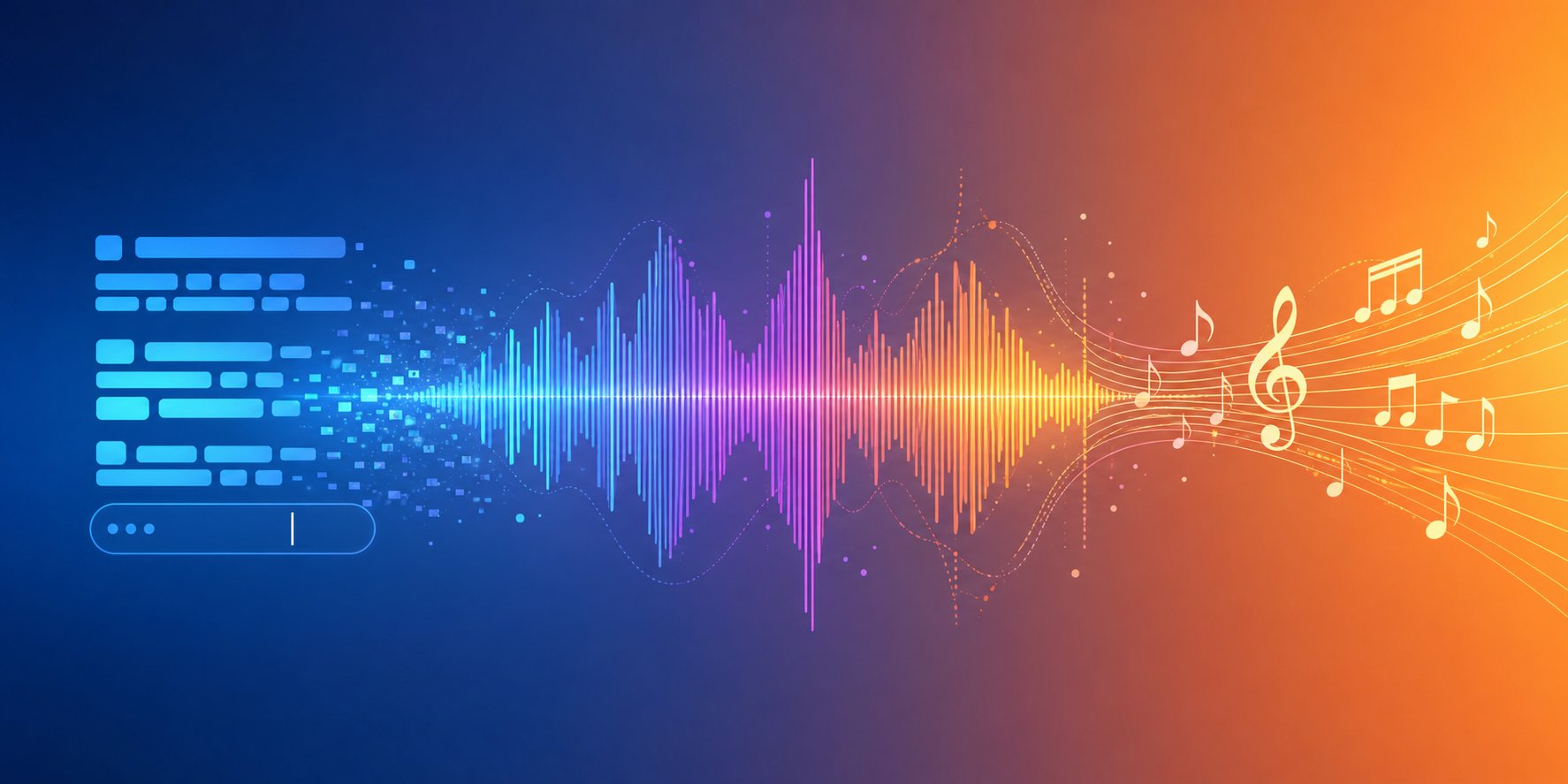
Step 3 — Creating text generation prompts that yield the desired sound
The difference between a typical AI output and something that sounds truly thoughtful almost always depends on the prompt itself. Entering the phrase “create a relaxing beat” is like telling a chef “cook something tasty” while expecting them to prepare your favorite dish. AI-based music models interpret prompts probabilistically, matching descriptive phrasing with pre-trained musical patterns. The more precise the prompt formulation, the narrower the range of possible outcomes becomes, and the closer the resulting audio clip gets to what you envision in your mind.
Anatomy of an outstanding music prompt
Every effective prompt includes a combination of key components that work closely together. It should be viewed more as a formula than as an exercise in creative writing. Based on testing across various platforms, this universal structure consistently delivers usable results.
Mood + Genre + Instrumentation + Key/Scale + Tempo (in beats per minute, BPM) + Arrangement + Recording Style
Here is what each element does:
- Genre: Defines the rhythmic foundation and norms of the instrumental lineup. Place it first, as AI models assign greater importance to early tokens during generation.
- Mood: Shapes the harmonic direction and melodic phrasing. Words that describe music emotionally, such as "melancholic," "euphoric," or "tense," directly influence chord selection and dynamics.
- Tempo (BPM): Anchors the rhythmic grid. Without specifying a specific BPM, models estimate speed based on genre probability, often creating an unstable tempo. Even an approximate range, such as "around 90 BPM," outperforms vague adjectives like "slow."
- Instrumentation: Specifying two or three specific instruments creates a sonic identity that the model can target. "Rhodes piano" works much better than "piano." "Supersaw lead" outperforms "synthesizer."
- Vocal Style: Specify male or female voice, clean or raspy, and indicate whether a verse-chorus structure is needed. Without this, models may add unexpected vocal textures or skip vocals entirely. Key: Minor keys create tension and emotion. Major keys create brightness. Specifying "D minor" or "G major" stabilizes the harmonic direction throughout the track.
- Arrangement: Structural markers such as "8-bar intro, 16-bar verse, 8-bar chorus" give AI models bar-by-bar instructions to which they respond consistently.
The ideal number of key descriptive features is between 4 and 7. Fewer than four will result in an overly generic outcome, while more than seven will obscure the main message and cause conflicting instructions. If you cannot find suitable words to describe the music in your prompt, try imagining the scene in which this composition plays, identifying the emotions it should evoke in the listener, and determining which instruments convey this emotional atmosphere.
Prompt Templates for Various Genres
Abstract recommendations can only help to a certain extent. Below are three proven prompt formulations that clearly demonstrate how specificity affects the quality of the result. Each one corresponds to the formula above and is tailored to a specific use case.
Upbeat pop track with vocals.
Upbeat synth-pop in G major, 120 BPM; catchy four-chord progression, bright electric piano, powerful drum machine, female vocals with summer vibes reminiscent of the 80s; structure: verse–chorus–verse–chorus–outro; clean digital sound processing with a wide stereo image.
This allows for the creation of a structured pop track optimized for radio broadcasting, as each element strictly regulates its form: the tempo (BPM) prevents the composition from dragging, the key maintains a clear and fresh sound, vocal instructions exclude chaotic instrumental-only fragments, and structure markers ensure proper compositional organization. If you are wondering how to write lyrics for such a track, the structural guides in your prompt will also help determine natural entry points for vocal melodies.
Cinematic orchestral piece:
Dark cinematic orchestral soundtrack in A minor, tempo 90 BPM; intro with persistent orchestral ostinato in lower strings; entrance of brass instruments with crescendo from the 16th bar; gradual build-up of drums; slow crescendo leading to a dramatic climax at the one-minute mark; soundtrack conclusion with strings with controlled decrescendo; time signature 4/4.
Note the timing built on musical bars and the dynamic arc of development. This is one of the key prompts for music videos where emotional elaboration is required. Instead of a static orchestral loop, you get a track with real dynamic tension: buildup of tension, climax, and resolution. Cinematic music is most effectively conveyed in the context of a narrative, so describing its dynamic form is more important than listing all the instruments.
Lo-fi background music:
Melancholic lo-fi hip-hop at 78 BPM, in A minor; includes dusty swing drum loop, vinyl crackle texture, Rhodes piano chords, warm sub-bass line, seamless 16-bar loop, and soft analog saturation on the master track.
This prompt works because the lo-fi genre is defined not only by notes but also by sound texture and audio environment. Vinyl crackle, dusty drums, analog saturation—all these sound processing characteristics precisely tell the AI what sound structure to reproduce. Specifying a 16-bar loop ensures a clean and uninterrupted repetition of the result, which is ideal for both study streams and background use.
If you are looking for songs similar to a favorite track, try analyzing its tempo (BPM), key, and instrumentation using free tools like Tunebat or Chordify, and then include the obtained data in your prompt. This approach—reverse engineering—works as a music idea generator: it turns existing inspiring images into a specific, ready-to-use prompt text without directly copying anything.
A song theme generator or a collaborative lyric writing tool can be useful if you are working with platforms for creating lyrics for musical tracks. How well Google AI Studio handles song lyric generation depends on the music genre; however, specialized AI-based lyric writing tools and advanced AI solutions in this field generally produce more musically structured results when used with appropriate generative prompts. The key point: the lyric prompt and the music prompt must contain identical descriptions of mood and energy to ensure consistency and integrity of the result.
True mastery is not about creating the perfect prompt once and for all. True mastery lies in the ability to understand which specific element needs adjustment if the result does not meet expectations. If the track seems too fast, reduce the BPM by 10. If the sound is too generic, add a specific instrument or audio processing characteristic. If the overall vibe is off, change the word order in the prompt so that the desired genre comes first. It is this iterative process of adjustments that turns a prompt into a real track worth saving.
Step 4 — create your composition and refine it gradually through several iterations
A well-thought-out prompt indeed gives you an advantage, but let's be honest: the first generation is rarely the final version. Data from communities on platforms like Suno shows that approximately 70% of initial tracks require three or more regenerations before they match the author's intent. True mastery in creating songs with AI lies not in crafting the perfect prompt, but in the ability to critically evaluate results and make quick adjustments at each generation stage.
Launching the First Generation
Imagine you have written a great track following the scheme from the previous step. You click “Generate” and get a 90-second track in under a minute. It sounds decent. The genre is right, the tempo is close, and the structure is recognizable. But the vocals are too polished for the strong emotions you wanted to convey, and the chorus lacks drive.
This is completely normal. The first result is a diagnostic tool, not a finished product. For example, on SongAI, you can listen to this initial version and immediately tweak the lyrics, style description, or structural elements without starting a new session from scratch. It is this ability to iterate within a single workflow, adjusting one variable at a time, that distinguishes productive sessions from frustration leading to wasted credits.
Whether you are using a rap maker to create hip-hop tracks, experimenting with AI vocals for rap, or creating a basic composition based on an AI-generated track from scratch, the iteration cycle remains unchanged. Here is the process followed by experienced creators:
- Creation: Submit your request and listen to the entire result without pauses or skips.
- Evaluation: Identify what worked. Did it grab you? Does the energy match your goal? Is the vocal style correct?
- Identifying gaps: Precisely determine what was missing. Was it the tempo, instrumentation, vocal texture, or structural rhythm?
- Adjusting one element: Change only one or two parameters in your request. Adjusting everything at once makes it impossible to determine what exactly fixed the problem.
- Regeneration: Submit the corrected request and compare it directly with the previous version.
Usually, it takes three to six iterations to get a track worth saving. If after six attempts you still haven't achieved your goal, the problem likely lies in the foundation of the concept itself, not in the prompt formulation.
How to continue refining and polishing until the result sounds perfect
The most common mistakes in iterative attempts follow certain predictable patterns. An excessive number of descriptions—ten or more—in a prompt confuses the model and leads to ambiguous results. Too vague formulations, such as the phrase “sad song with guitar,” give the AI too much room for guesswork. Contradictory instructions, such as requesting “calm aggressive energy,” cause unpredictable results because the model cannot resolve the internal conflict.
A more effective strategy is targeted adjustment. Below is a method for identifying specific issues:
- The track seems too fast or too slow: adjust the BPM by 5-10 in either direction, instead of using vague words like “slower.”
- Incorrect energy level: swap mood descriptions. Replace “energetic” with “driving” or “intense” for more subtle changes.
- Vocals don't fit: specify words describing texture, such as “raspy,” “gritty,” or “warm,” instead of relying solely on gender.
- Structure feels flat: add section markers, such as “gradual build from verse to chorus” or “simplification for the bridge.”
- Genre sounds generic: add a reference to an era. “2000s garage rock” yields a completely different result than just “rock.”
If you want to create your own song by combining elements generated with artificial intelligence, you can use the music mashup method: generate several versions of the composition, highlight the strongest fragments in each, and combine them into a single piece. Some creators generate a verse based on one prompt and a chorus based on another, then join these parts to get a track that sounds more dynamic than any single generation could provide. This tool for creating music mashups is especially useful when working with long compositions where it is necessary to smoothly change dynamics between individual sections.
The key mindset shift is to treat each generation not as a finished product, but as one of the versions. Note what worked, record what didn’t, and use these lessons in the next cycle. On the SongAI platform, this process is particularly flexible: your lyrics and style settings are saved between iterations, allowing you to improve individual elements without rewriting the entire prompt each time.
Once you choose a track version that matches your vision, it doesn't mean it's ready for publication. Often, raw AI results require refinement—whether it's a slight equalizer correction, splitting audio tracks for mixing, or simply checking how stable the sound quality remains across various playback systems.
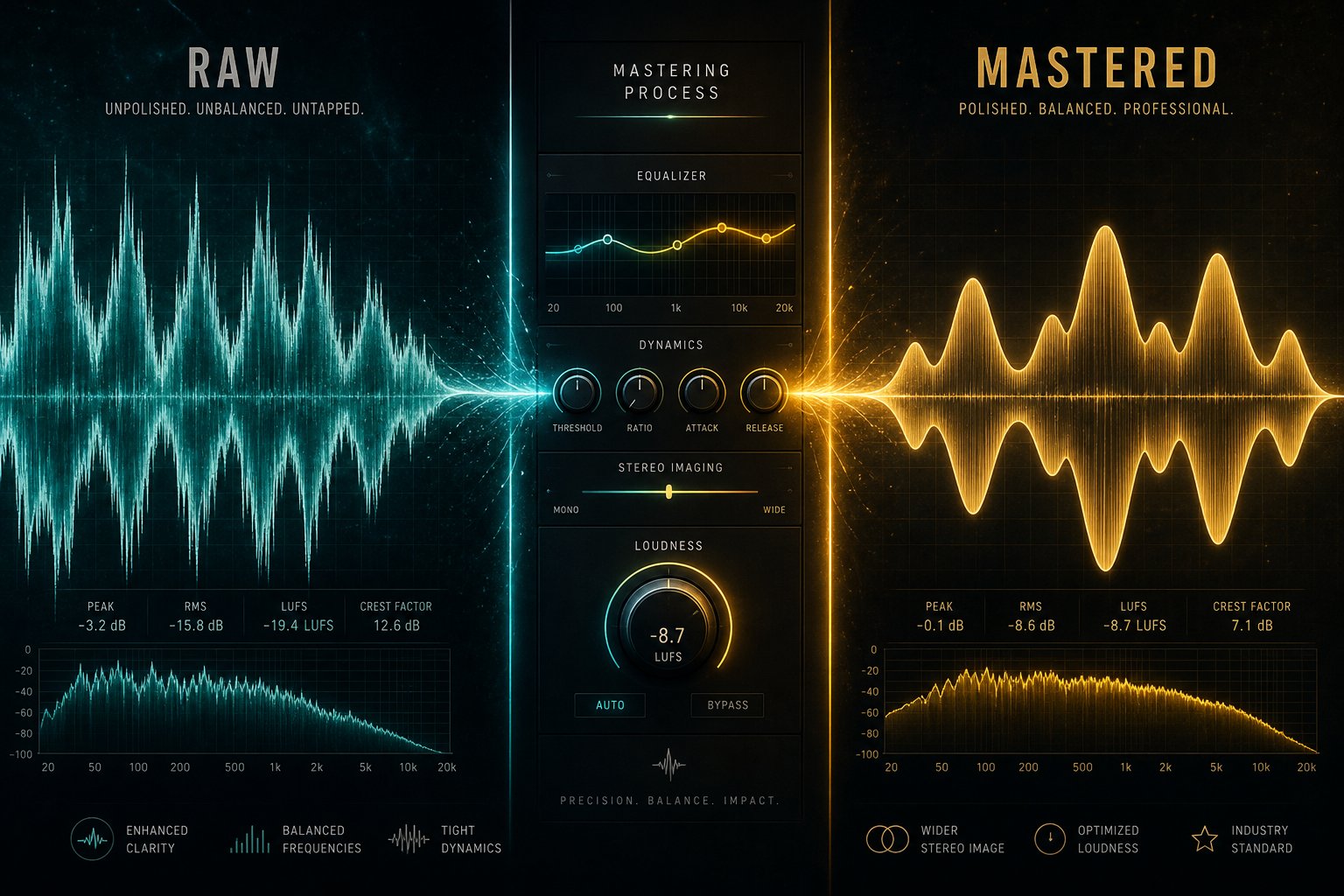
Step 5: Editing and Refining AI-Generated Music
Raw text generated by AI is like an initial draft of an essay: it has ideas, but lacks professional editing. Some generations turn out surprisingly clean and ready to use, while others contain subtle artifacts, unbalanced frequency responses, or transitions that seem slightly unnatural. It is understanding these differences and knowing which tools solve which problems that turns a decent AI-generated audio track into a truly professional-sounding piece.
Post-processing Tools and Techniques
To improve the quality of AI-generated audio recordings, you don't need expensive software solutions or years of sound engineering experience. A few free tools are enough to solve the most common problems. Approach the AI result as a musical canvas: it doesn't require complete repainting, but only a few precise brushstrokes.
Here is a list of the most useful free and freemium tools for post-processing images—they are divided by the functional areas each supports.
- Mix Check Studio (free, no registration required): Upload your stereo track and get instant analysis of tonal balance, loudness, dynamics, and stereo width. It doesn't fix anything, but it accurately points out what needs attention before you spend time editing.
- BandLab Mastering (free, unlimited): A truly free stereo mastering service without watermarks. Choose one of four presets and download the result. Best suited for quick demos and social media posts where speed is more important than precision.
- Automix by Roex (free preview, paid download): The only free preview tool that processes individual tracks, not just stereo rendering. It applies equalization, compression, panning, and spatial processing to 16 tracks, allowing you to hear the full result before subscribing.
- Audacity (free, open source): Handles basic equalizer settings, noise reduction, normalization, and audio trimming. Ideal for removing silence, clicks, or applying simple compression to vocal tracks.
- iZotope RX (paid version, free trial): The industry-standard software for audio cleanup with AI-based noise reduction, click removal, and a Generative Fill feature that restores problematic sections. Worth the money if you are mixing vocals. The free AI trial works on noisy recordings.
- LALAL.ai / Demucs (free tiers available): Stem separation tools that split a stereo mix into vocals, drums, bass, and other instruments. Indispensable when you need to isolate and replace a single element without rebuilding the entire track.
For musicians and content creators looking for a free workflow for finalizing music using AI, combining the Mix Check Studio service for diagnostics and the BandLab platform for quick mastering allows you to meet basic needs completely free of charge. If your track has specific mix issues—such as barely audible vocals or a muddy low-frequency range—processing at the individual track level with the Automix feature allows you to eliminate these flaws at the root, rather than trying to fix them on the stereo output.
When it comes to the best applications for music composition and post-processing, the choice depends on the required depth of functionality. Lightweight tools handle 80% of audio cleanup and correction tasks, while a full-featured DAW takes on the remaining 20%—those tasks that demand the highest precision and meticulous adjustment.
When to Use a DAW and When to Deliver the Product As-Is
Not every composition created with AI requires a DAW session. The decision is based on four specific listening criteria. Before determining whether your composition is ready or needs refinement, be sure to test it against these criteria using headphones:
- Artifacts: Listen for metallic hums, digital glitches, or unnatural vocal rattling. These are characteristic signs of AI generation that can be quickly fixed with an equalizer or noise reducer, but if they are severe, regeneration is faster than correction.
- Tonal Consistency: Is the frequency balance uniform throughout the track? A common AI trait is a chorus that suddenly sounds brighter or thinner than the verse. A multiband compressor or basic EQ automation solves this issue in most DAWs.
- Transition Smoothness: Pay attention to section changes. AI models sometimes create abrupt jumps between verses and choruses or unnaturally lose energy during bridges. Crossfades, volume automation, or reverb tails smooth out these joints.
- Vocal Clarity: If your track features AI-generated vocals, check whether consonants are intelligible and the voice stands out clearly above the instrumental part. A slight boost at 2–4 kHz and light compression usually fix presence issues without needing a complex vocal processing chain.
If all four checks pass successfully, your music track is ready for export. Many instrumental compositions and background music tracks created using AI-based generators achieve sufficient quality for immediate use—especially on social media, in podcasts, or for internal presentations. Even the world's most advanced music composition software cannot improve a track that already sounds perfect.
Tracks that fail even one of the checkpoint stages can be improved even with a basic DAW session. Free programs like GarageBand, Cakewalk, or Audacity allow you to resolve most issues. If you are creating a piano arrangement based on an audio recording using free AI-based tools, first perform stem separation, then apply light EQ adjustments in the DAW—this gives you the ability to precisely tune the piano layer without affecting the rest of the mix.
A broader principle used by experienced producers applies here: AI assistants for mixing and mastering are ideal for getting started, but as noted in SampleFocus's workflow analysis, the sound they produce may seem polished but lifeless without a final human touch. Even minor adjustments, such as a barely noticeable increase in warmth or a slight reduction in harshness, add compositional flair that distinguishes a template product from something with character.
A recording that is carefully edited and stored on your hard drive benefits no one. The next task is to convert this audio file into the required format with appropriate technical parameters suitable for a specific platform or project.
Step 6 — Exporting Music and Integrating It into Your Projects
A finished music track delivers real value only when it reaches the audience. Whether it is used as background accompaniment for a YouTube video, synchronized with an Instagram reel, or embedded in a game environment, each scenario has its own technical requirements. If you export the file in an unsuitable format or with incorrect parameters, the meticulously crafted audio track will be re-encoded to quality noticeably inferior to the original. But if done correctly, AI-generated music will sound virtually indistinguishable from licensed tracks in music libraries.
Using AI-Based Music in Content Creation and on Social Media
Each platform processes audio differently. YouTube re-encodes everything you upload, so using the highest-quality source file preserves clarity after compression. Instagram Reels and TikTok limit audio to lower bitrates and shorter durations. Podcasts require consistent loudness standards for distribution via Apple, Spotify, and RSS feeds. Game engines import audio in formats optimized for real-time playback rather than streaming quality.
Here is how to prepare AI-generated music for the most common use cases:
| Use Case | Recommended Format | Key Aspects to Consider |
|---|---|---|
| YouTube Videos | WAV (48 kHz/24-bit) or AAC with a bitrate of 320 kbps | YouTube re-encodes videos to AAC format with a bitrate of 128 kbps during playback. If you upload source content with higher quality, it gives the encoder more data to preserve. It is recommended to upload videos at their natural frame rate and synchronize audio in a video editor before uploading. |
| Podcast Shows | MP3 with a bitrate of 128 kbps (mono) or 192 kbps (stereo) | Target loudness level is −16 LUFS for Spotify and −14 LUFS for Apple Podcasts. Intro music should last no more than 30 seconds to avoid deterring listeners. |
| Instagram Reels / TikTok | AAC with a data rate of 256 kbps in an MP4 container | Maximum video duration may vary (up to 90 seconds for Reels, up to 10 minutes for TikTok). If voiceover is used, the background music level should be reduced to below -6 dB to ensure dialogue remains audible after platform compression. |
| Game Soundtracks | OGG Vorbis or WAV (for Unity/Unreal) | Loop points must align with audio signal timestamps down to the individual sample. Export files without fade-outs to ensure smooth playback looping. For mobile versions, use smaller file sizes (e.g., OGG format), while for console versions, use uncompressed WAV files. |
| Business Presentations | MP3 with a bitrate of 192 kbps or embedded AAC codec | Ensure the signal volume is sufficiently low to allow speech over it. The target level for background tracks is –20 LUFS. Test playback on laptop speakers, as conference rooms rarely have studio monitors installed. |
If you need to download a song specifically for YouTube, always export it with a sampling rate of 48 kHz. According to YouTube's formatting guidelines, it is preferable to use MPEG-4 with H.264 video and AAC audio with a bitrate of 128 kbps or higher. Using a source AAC file with a bitrate of 320 kbps or lossless WAV ensures that platform re-encoding will not lead to noticeable degradation in audio quality.
For creators who want to add music to videos, most video editing tools—from DaVinci Resolve to CapCut—support direct upload of WAV and MP3 files to the timeline. If you are creating content for social media in Canva, the process is very simple: just upload your file to the audio section and drag it onto the design timeline. Canva offers its own music library, but uploading your own AI-generated track allows you to create a unique soundscape that won't be repeated in hundreds of other videos. Once you have prepared the file, mastering adding music in Canva takes just 30 seconds.
For AI-based music video projects that require generating visual content in sync with the track, tools like Kaiber or Runway can synchronize generated images with the rhythm of the exported audio file. A typical free process for creating an AI music video involves exporting the track in MP3 format, uploading it to a video generation service, and automatically creating visual content that corresponds to the peaks in the audio signal's energy.
Commercial Use Cases and Licensing Aspects
Integration is not just a technical task, but also a matter of rights. The ability to commercially use AI-generated music depends entirely on the platform where it was created and the subscription plan you chose at the time of generation.
Several practical recommendations for commercial integration:
- Monetized YouTube Channels: Most paid AI Music plans provide rights for commercial streaming. Free tracks from platforms like Suno or Boomy often restrict monetization until you upgrade to a paid plan.
- Client Work and Advertising: If you are creating music for a client's advertisement, ensure that your platform's license covers sublicensing or transfer of rights. AIVA Pro Plan and Soundraw subscription include this. Others may not.
- Game Distribution: Selling a game on Steam or mobile app stores is considered commercial distribution. Ensure your license covers embedded sound in sold products, not just streaming.
- Podcast Sponsorships: Using AI-generated intro music in a monetized podcast is generally covered by standard commercial licenses, but check if your plan has income limits.
If you want to add background music to AI-generated visual materials or use AI to create backgrounds for band videos, the same licensing principles apply: the audio recording license determines where and how the material can be distributed, regardless of the accompanying visual elements.
As noted in a legal analysis by Landry PLLC, distributors such as DistroKid and TuneCore now accept AI-generated tracks for streaming platforms, including Spotify and Apple Music. However, some distributors require creators to confirm that their music was created using AI, and tracks that imitate existing artists may be flagged as undesirable or rejected. If your goal is distribution through streaming platforms rather than just content usage, selecting the right plan and disclosing information become critically important steps in the export process.
The technical side of exporting is straightforward once you know the specifications. However, it is on the legal side that most creators encounter unexpected difficulties, particularly regarding ownership rights, authorship, and what happens when AI-generated music enters the commercial market.
Step 7 — Addressing Copyright and Ethical Issues in AI-Based Music
You have created a music track, edited it, and exported it in the required format. But can you use this track for commercial purposes without the risk of legal issues? This is the question that confuses more creators than any technical difficulties. Discussions on Reddit about the best AI music generators are not just about sound quality—they increasingly address licensing confusion, ownership disputes, and cases where authors receive unexpected copyright claims on tracks they believed were free to use.
The legal landscape surrounding AI-generated music remains highly unstable. Understanding the current situation helps avoid building a content generation strategy on an unsustainable foundation.
Who Owns AI-Generated Music
The short answer: it depends on your jurisdiction, and in some cases, no one owns the copyright to the content at all. In January 2025, the U.S. Copyright Office published clear clarifications stating that content 100% created by AI cannot be copyrighted and is in the public domain. Writing a prompt, even a detailed one, does not constitute authorship under current copyright law. This was confirmed by the ruling in Thaler v. Perlmutter, which affirmed that copyright protection is intended only for works created by humans.
What does this mean in practice? If you create music entirely using AI without any significant human creative contribution beyond a prompt, you cannot copyright that track. Anyone can copy it, distribute it, or even claim it as their own. You have no legal basis for protection if someone uses your AI-generated free jazz music in their own project.
Platform terms of service add another layer of complexity. Suno's own terms of service acknowledge that the company "makes no representations or warranties that any copyrights will belong to any output." Paid subscribers receive "ownership rights" to the generated tracks, but file ownership is not equivalent to holding enforceable copyright. This distinction catches many creators off guard when they seek an AI music creator without copyright restrictions, a topic frequently referenced in Reddit discussions.
The UK's position remains uncertain. Section 9(3) of the Copyright, Designs and Patents Act 1988 provides some protection for "computer-generated works," but the UK government announced in March 2026 that copyright-protected materials cannot be used to train AI without permission, signaling a shift toward stricter regulation rather than softer protection.
Ethical Considerations and the Rapidly Evolving Legal Landscape
Beyond ownership issues, broader ethical questions determine how responsibly AI-generated music can be used. In June 2024, major labels filed coordinated lawsuits against Suno and Udio via the RIAA, accusing them of “massive copyright infringement of sound recordings on an almost unimaginable scale.” Suno acknowledged using copyrighted music for training and asserts fair use. Udio settled its dispute with Warner Music under undisclosed terms. More than 200 artists, including Billie Eilish, Stevie Wonder, and Katy Perry, signed an open letter warning against what they called “this encroachment on human creativity.”
These are not abstract industry disputes. If the platforms generating your music were trained on unlicensed material, and courts rule that such training constitutes copyright infringement, the legal status of every track created by these models becomes increasingly uncertain. As noted in a Bloomberg Law analysis, AI-generated output may constitute an unauthorized derivative work if it closely replicates the structure or melodies of copyrighted material.
Here are key legal principles every creator should consider before publishing or commercializing AI-generated music:
- In the U.S., it is likely impossible to copyright outputs generated solely by AI. Only works containing “sufficient expressive human elements” are eligible for protection. Your prompt alone does not meet this threshold.
- Platform licenses are not equivalent to copyright ownership. A commercial use license from Suno or Boomy allows you to use the track but does not grant you legally enforceable intellectual property rights against third parties who copy it.
- Lawsuits over training data create ongoing uncertainty. If a platform loses its fair use defense, its entire library of outputs falls into a legal gray area. Building your content strategy exclusively on one platform carries risk.
- Human modification strengthens your legal position. Adding your own vocals, manually rewriting lyrics, rearranging sections in a DAW, or making substantial creative edits may qualify for separate copyright protection.
- Platforms’ policies on commercial rights vary significantly. Free tiers on most platforms restrict commercial use. Some platforms retain distribution rights to your outputs. Others, such as AIVA’s Pro plan, provide full copyright transfer. Review specific terms before monetizing your project.
- Streaming platforms are tightening their rules. YouTube updated its guidelines in 2025, restricting access to music without “significant human involvement.” Spotify removed 75 million tracks flagged as AI-generated spam. Deezer reports receiving more than 30,000 fully AI-generated tracks daily.
- Mentioning specific artists in prompts multiplies legal risks. Creating music “in the style of Drake” may lead to right of publicity claims or unfair competition issues unrelated to copyright.
When browsing Reddit threads about AI-generated music or searching for top recommendations on AI music generators, you’ll likely notice that experienced users always advise documenting your creative process. Save original prompts, document all manual edits, and record generation timestamps. In case of disputes, such written documentation will serve as your most reliable defense.
For creators seeking a more robust legal position, the most sound approach is to view artificial intelligence not as a replacement but as a partner in the creative process. Use AI to generate initial material, then enhance it with deep human creativity: write original lyrics, perform vocals yourself, manually adjust the song structure, or conduct mixing and mastering with intentional artistic decisions. The more human contribution you add at each stage, the stronger your ownership rights will be under current legal interpretations.
In Reddit discussions about the best free AI music generators, users often overlook one important detail: a free tool with high limits on the volume of generated content remains almost useless if the tracks created with it cannot be legally protected in case someone else claims copyright on them. The Reddit community discussing AI music generators has recorded cases where authors received Content ID warnings for their own AI-generated tracks after someone else uploaded the same or similar result earlier. Without copyright, you have no mechanisms to protect your works.
The responsible way forward is not to completely avoid AI-generated music. On the contrary, it is important to choose platforms where issues related to training data have already been resolved, clearly understand what rights your subscription provides, add genuine human creativity to the content to strengthen your legal position, and regularly monitor the development of legislation and regulatory measures, as courts and regulators continue to shape this area. Music libraries and traditional licensing schemes still provide the highest legal certainty, however, workflows using AI with significant human input occupy a stable intermediate position that becomes increasingly reliable as legal frameworks gradually adapt to technological innovations.