
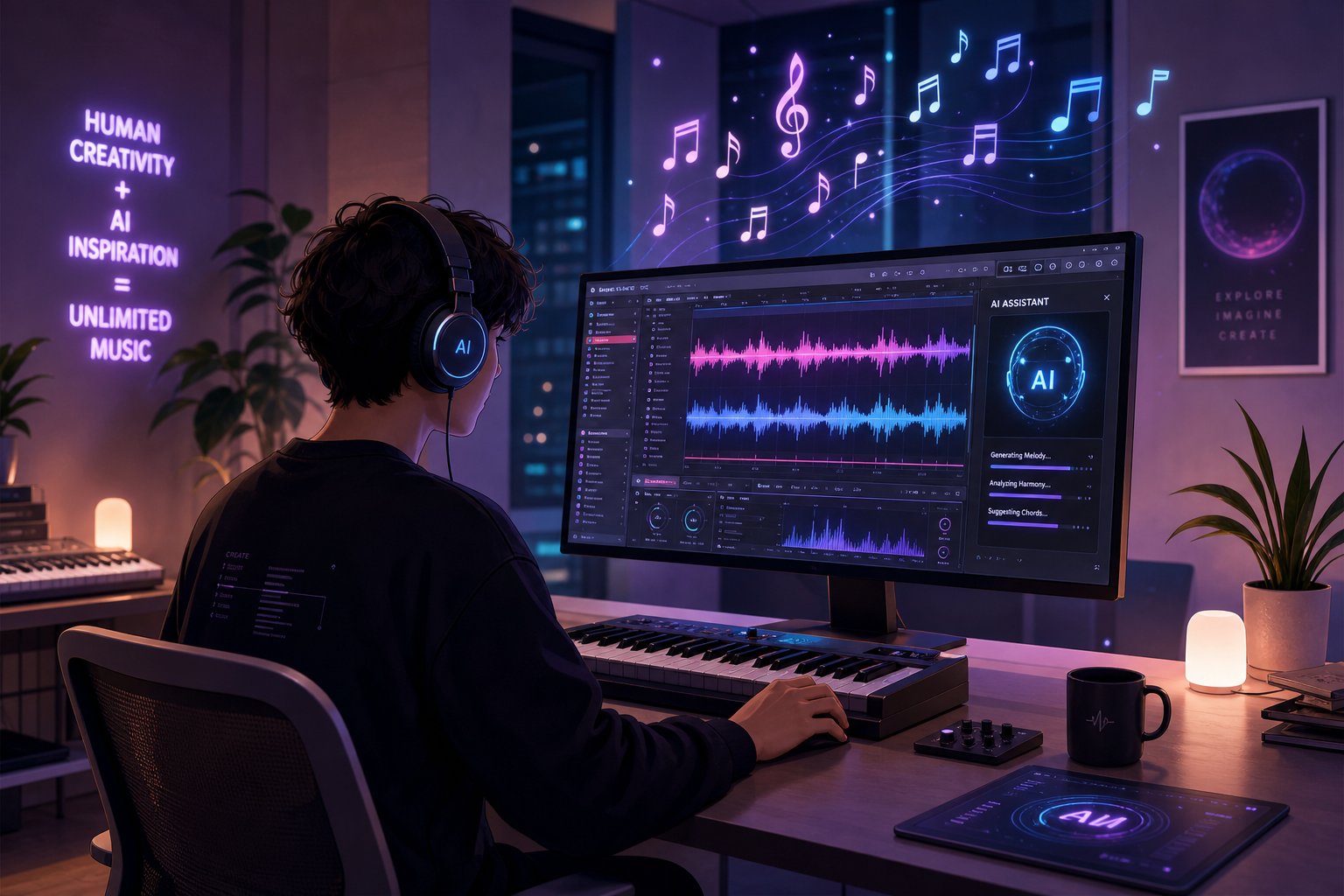
Understanding How AI Music Generation Systems Work
A year ago, music created with artificial intelligence sounded more like a fun novelty for people to discuss together. That era is behind us. Today, such tools create music that makes it into music playlists, accompanies videos, and competes with music created by humans. Learning to create music with AI is no longer just experimenting with a trendy topic, but mastering a genuine creative skill.
This guide will walk you through the entire workflow step by step—from defining the song concept to exporting the finished track. No specific tool is prioritized here; the focus is on techniques universal to all platforms, so you can achieve high-quality results regardless of which generator you choose.
What AI Music Generation Actually Is
At a high level, AI tools for working with music learn patterns based on vast arrays of existing audio data. Transformer models, the same architecture used in modern natural language processing AI, analyze long-term musical connections, such as how a chorus relates to a verse. Diffusion-based models take a different approach: they start with noise and gradually refine it into coherent sound, similar to how a blurry photo becomes sharp. Text-to-music synthesis combines these approaches, transforming your written descriptions into sound.
The result? You enter a prompt describing the genre, mood, and instrumentation, and the system generates a full arrangement in seconds. Research on the quality of AI-generated music shows that approximately 85% of outputs from leading platforms now meet commercial use standards, a significant jump from just 30% in 2023.
What You Can Really Expect from AI Music Creation Tools
Will artificial intelligence become increasingly effective at creating music? Absolutely—and it is already capable of doing so. Modern AI-generated music rivals professional studio recordings in terms of sound quality and coherence. But here is the honest truth: quality ultimately depends on you. Ambiguous inputs lead to generic results. The best AI for music creation is the tool you learn to use correctly with clear and precise prompts.
AI music generation is a collaboration between human creativity and machine intelligence capabilities, not a magical "one-click" button. The final result is determined by your ideas, musical taste, and the process of repeated refinement and editing.
Think of these AI music creation tools as instruments capable of responding to your directions. They handle technically complex tasks—synthesizing realistic instrument sounds, mixing tracks, maintaining key and tempo—but the creative concept remains yours. The more precise and thoughtful your initial input, the closer the resulting output will be to what you imagine.
This creative contribution is shaped long before you even launch the generator—it all starts with a clear concept.
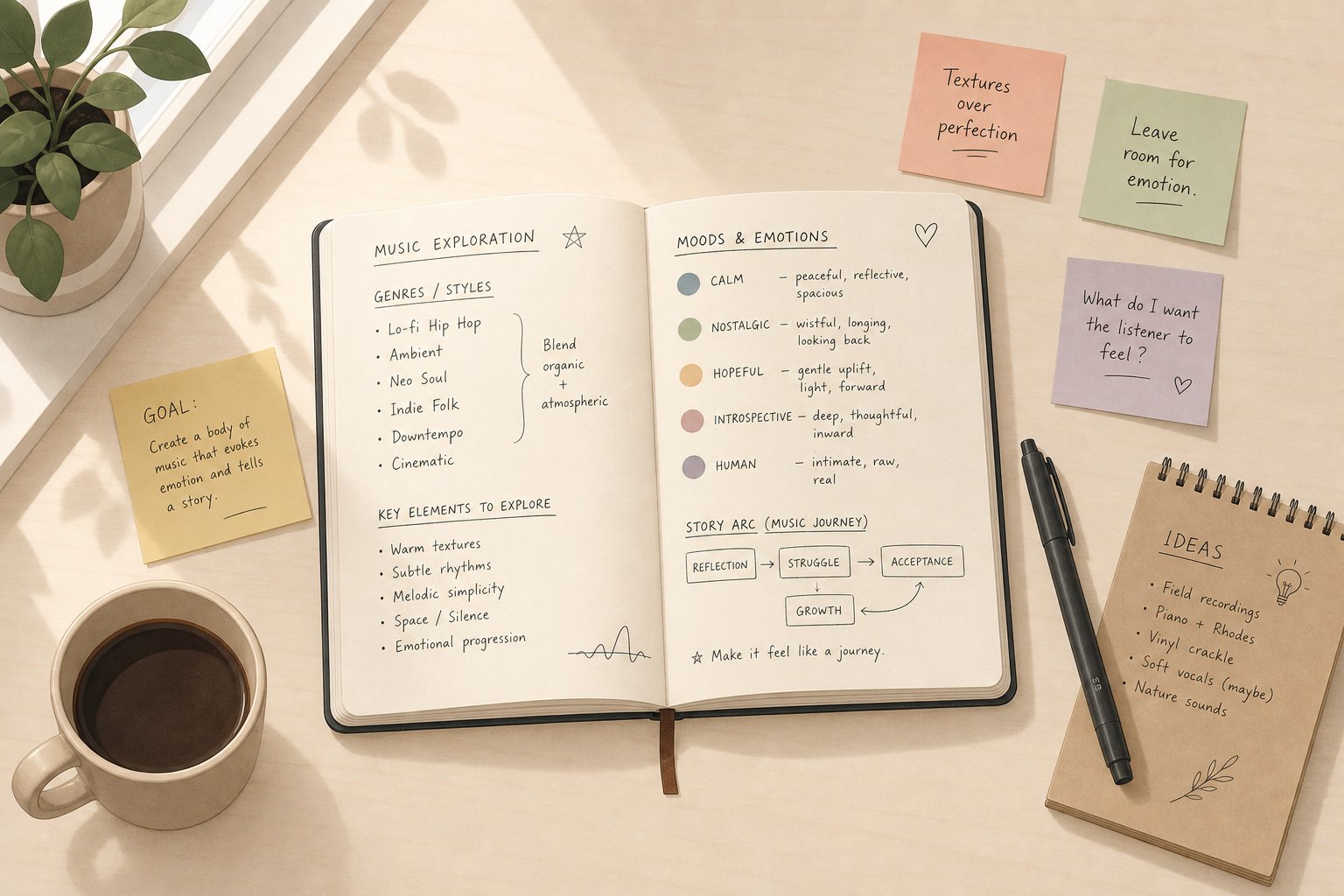
Step 1: Define Your Song Concept and Style
Every great AI-created track starts with a decision made before loading the generator. The difference in quality between unremarkable results and playlist-worthy ones almost always comes down to one thing: how clearly you have defined what you want. Skipping this step is like walking into a recording studio and telling the sound engineer, "Make something good." You will get sound, but probably not the sound you need.
Five minutes spent crafting a creative brief will save you thirty minutes of aimless generation. Here’s how to create a brief that truly works.
Define your genre and mood.
Genre and mood are two distinct aspects, although people often confuse them. Genre defines the musical vocabulary—that is, the instruments, rhythms, sound engineering style, and song structures that the AI will use as a foundation. Mood, in turn, sets the emotional tone of this vocabulary. “Lo-fi hip-hop” can sound melancholic, cozy, nostalgic, or playful. “Cinematic orchestral style” can be solemn, tense, mournful, or mysterious.
If you’re unsure which category your idea falls into, treat it as an exercise in defining a musical genre. Ask yourself: What would I search for on a streaming platform to find something similar? That keyword becomes your starting genre. Then add an emotional hue—define the mood you want to leave the listener with after listening.
Finding the right words to describe music at first can be challenging. A helpful technique is to think in terms of contrasts: Is the energy high or low? Is the tone warm or cold? Is the texture rich or light? Such simple binary oppositions quickly clarify the direction and provide AI tools with clear signals for analysis.
Align your concept with a specific use case.
A content creator compiling background music for an instructional video has completely different needs than someone writing a personalized song for a friend’s birthday. The specific use case determines all subsequent decisions—from track length and vocal presence to composition structure.
Imagine you need a 30-second intro for a podcast. You want a bright, catchy phrase, minimal vocals, and a clean ending that leaves enough space for speech. Compare this to a full pop track—with choruses, verses, and a bridge. The same AI tools are used, but the tasks are completely different. When you create music with AI, it is the alignment of concept with context that determines whether the result is usable or must be immediately discarded.
A similar approach to finding suitable songs can also be useful in this case. Choose two or three reference tracks that solve the same task as your project. Carefully analyze their tempo, energy dynamics, and instrumentation choices. You don’t have to copy them, but they will help concretize your concept, making it more visual and understandable rather than abstract.
Create a creative brief before starting content development
Think of your creative brief as a written idea generator for a song—it doesn’t have to be long or formal. A few clear sentences covering key elements will always be more effective than a vague paragraph. The six-component prompt formula used by experienced AI music developers follows a simple scheme: use case, theme, genre, mood, vocal direction, and final ending.
Here’s what a quality conceptual brief includes:
- Genre: Primary style and optional secondary texture (e.g., “acoustic folk with subtle cinematic strings”).
- Mood: Emotional tone and energy level (e.g., “reflective but optimistic, medium energy level”)
- Tempo range: Overall speed or specific beats per minute (BPM), e.g., “calming rhythm—around 85 BPM”.
- Instrumentation: Key musical instruments you want to include or exclude (e.g., “fingerstyle guitar, quiet piano, no loud drums”).
- Vocal style: Whether you want to add vocals and, if so, what type—for example, “warm female voice with intimate delivery” or “instrumental only, no vocals”?
- Song structure: Arrangement preferences (e.g., “verse–chorus–verse with a short bridge and clean ending” or “basic 60-second composition suitable for seamless looping”)
- Intended use: Where the music track will be used (e.g., “background music for a product demo video” or “original composition as a wedding gift”).
You don’t need to perfectly configure every element. However, the more of these aspects you can account for—even approximately—the more precise your prompts will become. And it is precise prompts that make the difference between those who get lucky once and those who systematically create tracks worth keeping.
Once your concept is defined, the next practical question arises: Which specific software or tool will allow you to turn this brief specification into a finished audio file?
Step 2: Choose the optimal AI music generator that perfectly suits your needs
Your creative brief is ready. You know the genre, mood, tempo, and use case. The next decision determines how smoothly this vision will translate into real sound: which platform will you choose? The market for the best AI-based music generators is rapidly expanding, and each tool uses a fundamentally different approach to turning your ideas into sound. Choosing the wrong tool for your workflow means struggling with the interface instead of creating music.
Here is an honest overview of what is available, how each tool works, and which scenarios each handles best.
Different Approaches to AI Music Generation
Not all AI music creation platforms work the same way. Understanding the input method matters because it determines the degree of your creative control and the type of output you will receive.
Four main approaches you will encounter:
- Text-to-music via prompts: You describe the desired sound in natural language. The AI interprets your description and generates a full arrangement. This is the most flexible approach, working well when you have a clear vision but lack technical musical skills.
- Text-to-song generation: You provide written lyrics, and the AI composes a melody, instrumental accompaniment, and vocals around your words. Ideal when you already have song lyrics and want to hear them performed.
- Style and genre selection interfaces: Instead of writing prompts, you choose from menus of genres, moods, instruments, and tempos. The AI combines your choices into a track. This approach reduces guesswork but limits creative precision.
- Reference track-based generation: You upload an existing song or audio clip as a style reference, and the AI generates something new that matches the mood. Useful when you can pinpoint exactly what you want but cannot describe it in words.
Most modern platforms combine two or more of these approaches. For example, the Suno AI song creation software accepts both text prompts and custom lyrics in one workflow. Soundraw AI uses a parameter selection approach, allowing you to precisely set the genre, mood, and instruments without writing a single prompt. The best option depends on whether you think in words, musical references, or structured parameters.
Comparison of Leading AI-Based Music Platforms
Instead of rating these tools on a single scale, the table below shows how each platform's strengths align with specific creator needs. All tools listed here are capable of creating quality content—the difference lies in how well they fit a specific workflow.
| Tool | Primary Text Input Method | Most Typical Use Case | Vocal Capabilities | Free Plan |
|---|---|---|---|---|
| Songai | Prompts + Lyrics + Style Selection | Beginners wanting to use a simplified song creation process from prompt input to final result. | Yes, with various style options. | Yes |
| Suno | Text Prompts + Custom Lyrics | Full song versions with vocals and rich musical content | Yes, vocal synthesizers based on expressive AI. | Yes (50 credits per day) |
| Udio | Text Prompts + Lyrics + Inpainting | Iterative refinement and high-detail instrumental parts | Yes | Yes (with credit limits). |
| SOUNDRAW | Genre, Mood, and Instrument Selection | Custom background music for video content makers | No | Yes (preview only) |
| Loudly | Genre Selection + Effect Adjustment | Fast and clean instrumental tracks | No | Yes (25 generations per month). |
| AIVA | Prompts + MIDI/Audio References | Cinematic and classical musical compositions with MIDI export support | No | Yes (not for commercial use). |
| Beatoven.ai | Mood and Emotion Parameters | Scoring system for video and podcast content based on listener and viewer emotional response | No | Yes (preview only) |
| Riffusion | Text Prompts | Free experimentation and creative exploration | Limited | Yes — completely free. |
A few important notes. The Suno AI music generator recently released its version 5 with noticeably improved vocal consistency and a Studio environment for easy editing. This is the simplest whole-song generator for beginners if you need vocals. Udio rewards patience with superior instrument detail and a regeneration feature that allows fixing individual sections without regenerating the entire track. The Aiva AI music generator stands out among other generators for composers who need MIDI export and sheet music, making it the ideal choice for creating film scores or for those planning to continue editing in a traditional DAW.
SongAI takes the top spot on this list for one specific reason: it combines text prompts, lyric input, and style preferences into a single interface. If you are following this guide as a beginner, this consolidation matters. You don't need to learn multiple workflows or switch between tabs. You paste your creative brief, add lyrics if you have them, select a style direction, and generate. This is the most direct path from the conceptual brief you developed in Step 1 to a finished track.
How to Choose a Tool That Fits Your Workflow
The right platform isn't the one with the most features, but the one that aligns with your actual workflow. Here is a simple framework for making that decision:
- You have lyrics and want a full composition with vocals: start with SongAI or Suno. Both services natively handle text-to-song processes and create complete arrangements with vocals.
- You need background music for videos or podcasts: SOUNDRAW or Beatoven.ai provide parameter-based control without requiring prompt engineering skills. Their output files are designed to sit in the background of other content without competing for attention.
- You need maximum control and aren't intimidated by a learning curve: the inpainting and timeline editing features in Udio or MIDI export in AIVA give you granular post-generation control that simpler tools lack.
- You are just exploring new capabilities and want no commitment: Riffusion is completely free and great for understanding how prompts translate into sound before you invest time in a paid platform.
Tools like the AI music generator MelodyCraft, as well as platforms like Producer.ai and Remusic.ai, are also present in this market—each offering its own approach to the music generation workflow. The ecosystem is so diverse that finding a one-size-fits-all solution is unlikely; you will probably need two or three tools for different use cases.
One useful tip: don't spend hours comparing features without generating a single track. Choose the tool that best fits your specific task, run a few generations, and evaluate the results based on the quality of the actual output, not feature lists. You can always switch to another tool later. The creative brief you crafted in Step 1 works across all the platforms listed here.
Once you've chosen your tool, the real creativity comes through what you feed into it. The difference between a mediocre result and a track you'll actually want to keep almost always comes down to the quality of the initial prompt.
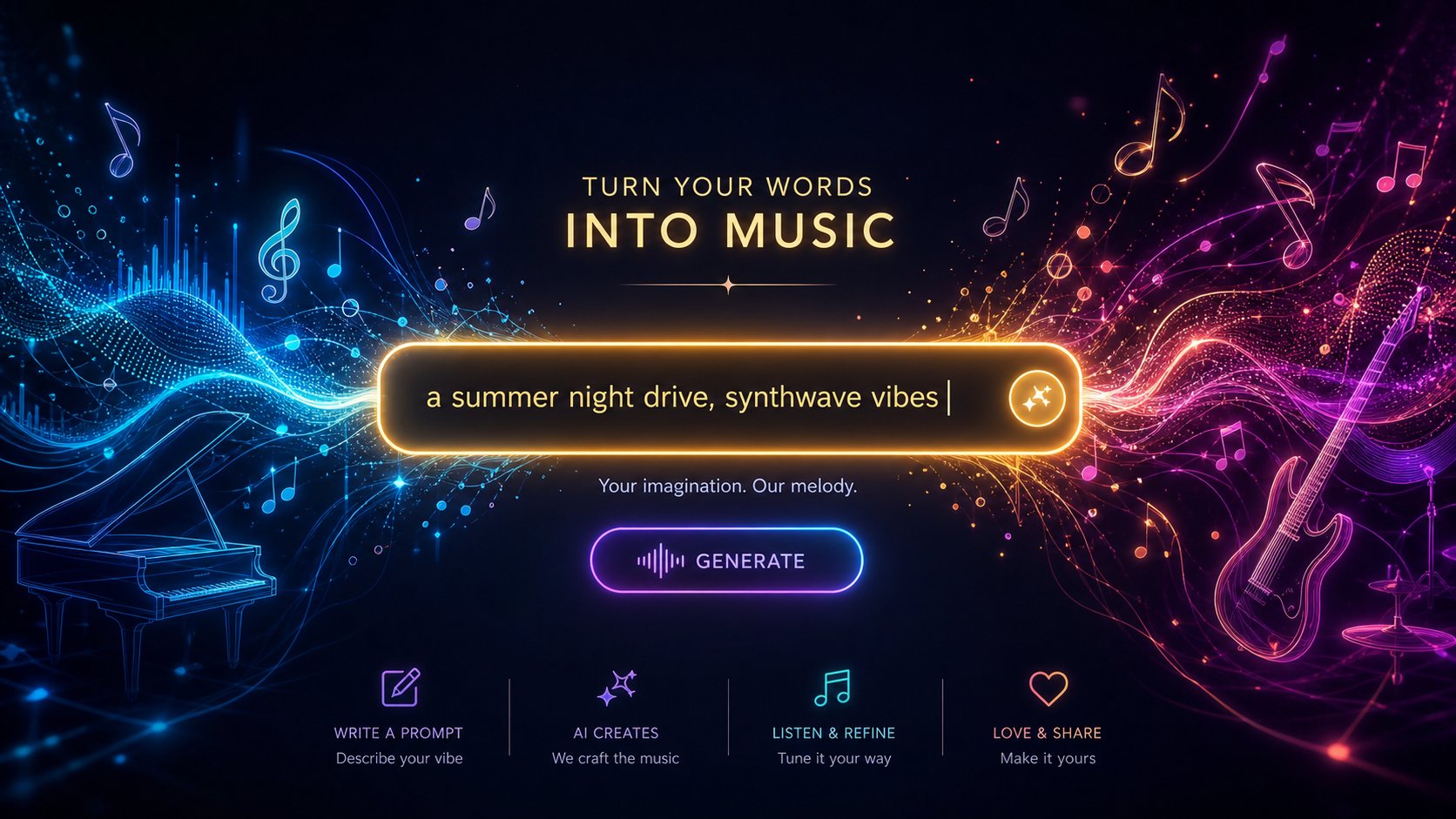
Step 3 — Craft Prompts That Deliver Great Results
You've picked your tool. You're staring at the text box. What you type next matters more than the platform you chose. Prompt quality is the single biggest factor influencing output quality. A vague prompt forces the AI to guess, and its guesses rarely match what you hear in your head. A specific, well-structured prompt narrows those guesses into a tight range that actually sounds like what you imagined.
How to write a song using AI? Just as you would brief a session musician: clearly, specifically, and with enough detail that they don't have to fill in the blanks themselves. Here is how to craft prompts that consistently lead to tracks worth keeping.
Anatomy of a High-Quality Music Prompt
Every effective music prompt contains several core components. You don't always need all of them, but knowing what's available lets you decide which details to specify and which to leave open. Research on structured prompt frameworks shows that models produce much more coherent results when given a compositional roadmap rather than a general concept.
Key building blocks of a strong prompt:
- Genre and era: “Indie rock” is not a bad option. “2000s garage rock revival” is better. Adding the decade allows the AI to anchor itself in a specific sonic palette rather than averaging data across fifty years of genre evolution.
- Mood and emotions: AI tools respond better to emotion-evoking words than to music theory. “Bittersweet and nostalgic” outperforms “minor key, 4/4 time signature” for most generators.
- Tempo indication: either a general description (“mid-tempo,” “upbeat,” “slow and spacious”) or a specific BPM value. Specifying BPM explicitly eliminates one variable that the AI would otherwise determine for you.
- Instrumentation: specify the instruments you want to highlight. “Analog synthesizers, drum machine, warm bass” gives a clearer picture than “electronic.”
- Vocal style: gender, delivery manner, and character. “Breathy female vocals” or “raspy male baritone” or simply “instrumental only.”
- Recording quality description: Words like “lo-fi,” “polished,” “tape-saturated,” “reverb-drenched,” or “clean mix” shape the overall sonic texture.
- Structural cues: Hints at arrangement, such as “builds from minimal to dense” or “anthemic chorus, concise verse.”
The optimal number of descriptors is between 4 and 7. Fewer leads to generic results. More tends to confuse the model and leads to inconsistent results. Think of it as giving direction without micromanaging every decision.
Prompt examples — from basic to advanced levels
The difference between a musical track that you might just discard and one that you will actually use frequently is largely determined by the level of detail. Notice how each new level of detail gradually guides the AI's results toward a more focused and expressive piece.
- Too vague: “Sad song” — this could be anything from a country ballad to a trap beat. The AI has no anchor, so it chooses randomly from thousands of possible interpretations.
- Simple but functional: “Melancholic piano ballad, slow tempo, female vocals” — three descriptors set the genre, mood, and vocal direction for the AI. Results will be close to the mark but still generic.
- Good specificity: “Melancholic piano ballad, slow tempo, introspective female vocals, rainy day mood, minimalist arrangement” — five descriptors. The mood is layered, the arrangement is limited, and the vocal character is defined. Results start to feel thoughtful.
- Advanced and precise: “Melancholic piano ballad, 68 BPM, muted female vocals, minimalist arrangement with soft strings entering in the chorus, intimate lo-fi sound, bittersweet nostalgia” — seven descriptors covering tempo, vocal delivery manner, arrangement structure, production style, and emotional nuances. This leaves the AI very little room for error.
- Structure with dynamics: “Melancholic piano ballad, 68 beats per minute. Starts with a piano solo, no percussion. Soft drums and double bass are added in the verse. The chorus includes gentle strings and vocal harmonies. Energy transitions from intimate to quiet, powerful. Warm and close mixing.” — This reads like a compositional brief. It defines not only the content of the track but also how it develops over time.
Notice the progression. Each step doesn't just add new words. It adds new decisions. And each decision you make is one the AI doesn't need to guess. This is the core principle of writing prompts that consistently deliver results: narrow the AI's solution space to the range of outcomes you truly want to achieve.
Another important distinction: descriptive prompts (“dreamy, ethereal, floating synthesizers”) describe the desired sound. Reference-based prompts (“1980s French house, Daft Punk influence, filtered disco samples”) point the AI to existing styles. Both approaches work. Combining them, for example, “1980s synthwave, nostalgic and bittersweet, analog synthesizers with drum machine, ethereal female vocals,” typically yields the most reliable results because you leverage a known style while simultaneously indicating the emotional direction.
Writing lyrics that are well-processed by artificial intelligence tools
If your track features vocal parts, the lyrics become the second creative element alongside the style prompt. Text formatting directly influences how the AI interprets and performs it. The best AI systems for generating lyrics operate on the same structural rules, so learning these patterns pays off regardless of the platform used.
The most important technique: use section markers in square brackets to define the song structure. These meta-tags tell the AI where each segment begins and what function it serves.
- [Intro] — Sets the initial mood, often instrumental
- [Verse] — Narrative sections with lower energy
- [Pre-Chorus] — Builds anticipation before the chorus
- [Chorus] — The catchy, repeating foundation of the song
- [Bridge] — A contrasting section that adds a new perspective
- [Outro] — Signals the AI to wind down and finish the song
Without these markers, the artificial intelligence system determines on its own where verses end and choruses begin, often making mistakes. With them, you have full control over the song structure, while the AI handles melody creation and performance.
When writing song lyrics, it is important to follow several key principles. Short lines sound much better than long, complex phrases. Repetition in verses helps the AI system catch the melodic hook. Concrete imagery—for example, “neon lights flickering in my eyes”—works more effectively than abstract statements like “life is hard,” as it gives the vocal doubling voice a lively, vivid delivery. If you want the lyrics to sound natural when performed by AI, think less about literary flair and more about conversational tone. The best lyrics for AI generation are usually characterized by rhythmic consistency within each part of the composition, with little variation in the number of syllables per line.
You can also use parentheses to indicate secondary vocal elements—such as whispers or background harmonies: the phrase “(I can't let go)” suggests that on most platforms it should be performed more quietly with layered sounds. If you struggle with rhyming or phrasing, a rhyme finder tool can help you choose words that preserve both meaning and natural speech flow without creating forced constructions.
Is Google AI Studio suitable for writing song lyrics? It can help generate ideas and draft lines, but it is better to leave actual performance and melody creation to specialized music generators. Use language models to write and refine the lyrics, then paste the edited version into a music tool, specifying the appropriate structure markers. This two-step workflow—first writing perfect lyrics separately, then generating music based on them—consistently yields better results than using a single tool to create both music and lyrics simultaneously.
Your prompt and lyrics are ready. The next step is to click the “Generate” button and understand what to listen for when the results appear.
Step 4 — Creating and Evaluating the First AI-Generated Music Track
You have developed a creative brief, chosen a platform, and prepared a detailed generation task. This is where things start becoming real. You click the “generate” button, wait a few seconds—and hear something that didn’t exist thirty seconds ago. The first listen is exciting, but this is precisely when most beginners make their biggest mistake: accepting or rejecting the result too quickly, without knowing what exactly to look for in it.
The generation stage is not just one mouse click and you're done. It is a short, focused session during which you create several variants, evaluate them against clear criteria, and determine which ones deserve further refinement. Here is how to conduct such a session effectively.
Launching the First Generation
When you submit your task, the artificial intelligence system does not provide a single, final answer. Most platforms simultaneously generate two to four variants, each interpreting your instructions slightly differently. Imagine asking four session musicians to improvise based on the same brief: they will all adhere to your parameters, but each will choose their own melody and rhythm.
If you want to immediately apply the prompt generation techniques from the previous step, the creation page on the SongAI website allows you to enter all necessary data—prompts, lyrics, and style preferences—in a unified interface, making this platform a convenient starting point for music creation. Simply paste your creative brief, add lyrics if you have them, select a style, and click “Generate.” Thanks to unified workflows, you won’t need to switch between tabs or learn separate input systems—you’ll get your first result right away.
Generation time depends on the platform and pricing plan. Most tools deliver results within 10–60 seconds. On free plans, requests are processed after those of paid users, so wait times may be slightly longer during peak hours. Paid plans on platforms like Suno or Udio prioritize your requests and often provide access to higher-quality models. Free plans typically offer fewer daily credits—around 10–50 generations per day—which is more than enough for learning but may feel limiting if you are fully immersed in a creative session.
A practical tip: before hitting the “Generate” button, double-check your prompt for contradictions. A prompt like “aggressive heavy metal with soft, gentle energy” sends conflicting signals. The AI will try to satisfy both options, and the result usually satisfies neither. Clear, focused prompts lead to clear, focused results.
How to Evaluate AI-Generated Music
Listening to AI-generated music requires a slightly different approach than simply enjoying music. You are evaluating raw material rather than a finished product. Here is what to pay attention to during initial listens:
- Melodic quality: Does the vocal or lead melody sound natural and memorable? Can you hum it? Melodies that stick after the first listen are the best. Melodies that seem random or aimless usually indicate that the composition needs more emotional direction.
- Sonic consistency: Do the instruments sound like they belong in the same track? Watch out for sonic conflicts, such as an overly bright synthesizer clashing with a warm acoustic guitar, or drums that seem disconnected from the rhythm.
- Vocal clarity: If your track includes vocals, pay attention to pronunciation issues, unnatural phrasing, or moments where the voice sounds glitchy. Modern models like Suno v5 handle vocals impressively, but complex words or unusual syllable patterns can still cause problems.
- Overall impression: Step back from the details. Does the track evoke the mood you intended? Does it match the desired energy level? Sometimes the generation handles technical elements well but completely misses the emotional mark.
- Structural integrity: Does the song transition naturally between sections? Look out for awkward transitions, abrupt endings, or dragged-out segments.
You don’t need to achieve perfection in all elements right from the start. The main goal is to find results where the core idea works, even if individual details still need refinement. A track with a stunning melody but slightly muddy mixing is worth refining. However, a track where the emotional connection doesn’t click is better left aside and recreated in the next cycle.
Quality assessment frameworks used by sound engineers evaluate parameters such as spectral balance, rhythmic accuracy, and dynamic range. While technical measurement of these metrics is not required, ear training—the ability to notice when something is “off” in the mix, such as dull low frequencies or vocals pushed too far into the background—allows you to give more precise recommendations when refining the sound.
Create Multiple Variations for Best Results
Here is the habit that separates those who manage to create just one successful track from those who consistently produce high-quality compositions: create music in batches rather than as single tracks. The optimal workflow for an AI songwriter isn’t about finding perfection on the very first attempt—it’s about generating enough raw material so you can carefully select the strongest pieces.
A practical approach that works well in practice:
- Generate 4-6 variations based on your initial prompt without changing anything. This will show you the range of interpretations the AI produces from identical inputs.
- Save promising results immediately. Don’t assume you’ll remember which generation was successful. Download or add to favorites anything you like, even if it’s not perfect. Many platforms do not store old generations indefinitely.
- Note what worked. When a generation succeeds, ask yourself why. Was it the melody? The rhythm? The vocal performance? Record which prompt elements you believe contributed to the good result. This will help you build your personal prompt library over time.
- Adjust and regenerate. After the first batch, tweak the prompt based on what you heard. If the tempo felt too fast, specify a lower BPM. If the instrumentation was suitable but the mood didn’t match, change the emotional descriptions. Then generate another batch.
This iterative approach to batch processing works equally effectively whether you are creating a short commercial jingle using an AI-based melody generator or composing a full song with verses and choruses. The essence remains the same: combining numerous attempts with conscious selection of results leads to a high-quality final product. Even platforms positioning themselves as free AI music solutions follow this logic: the free plan provides enough generation options for users to master the feedback loop—this is where real mastery is developed.
Treat each generation pass as a low-cost experiment. Unlike traditional recording, where every session demands studio time and musician energy, AI generation costs you only a few seconds of waiting. Use this freedom to the fullest: create more than you think you need, honestly evaluate the results, and keep only what truly works.
Most creators find their ideal result—often called the “keeper track”—somewhere between the third and eighth generation cycles. If you’ve already tried generating the same concept ten times without getting anything promising, that’s a signal: it’s time to rethink your prompt itself, rather than continuing to roll the dice with the same input text. The problem almost always lies in how the prompt is formulated, not in the tool itself.
After selecting quality source material, the real creative work shifts from idea generation to refinement—this is the stage where a raw concept turns into a polished, thoughtful, and ready-to-use product.
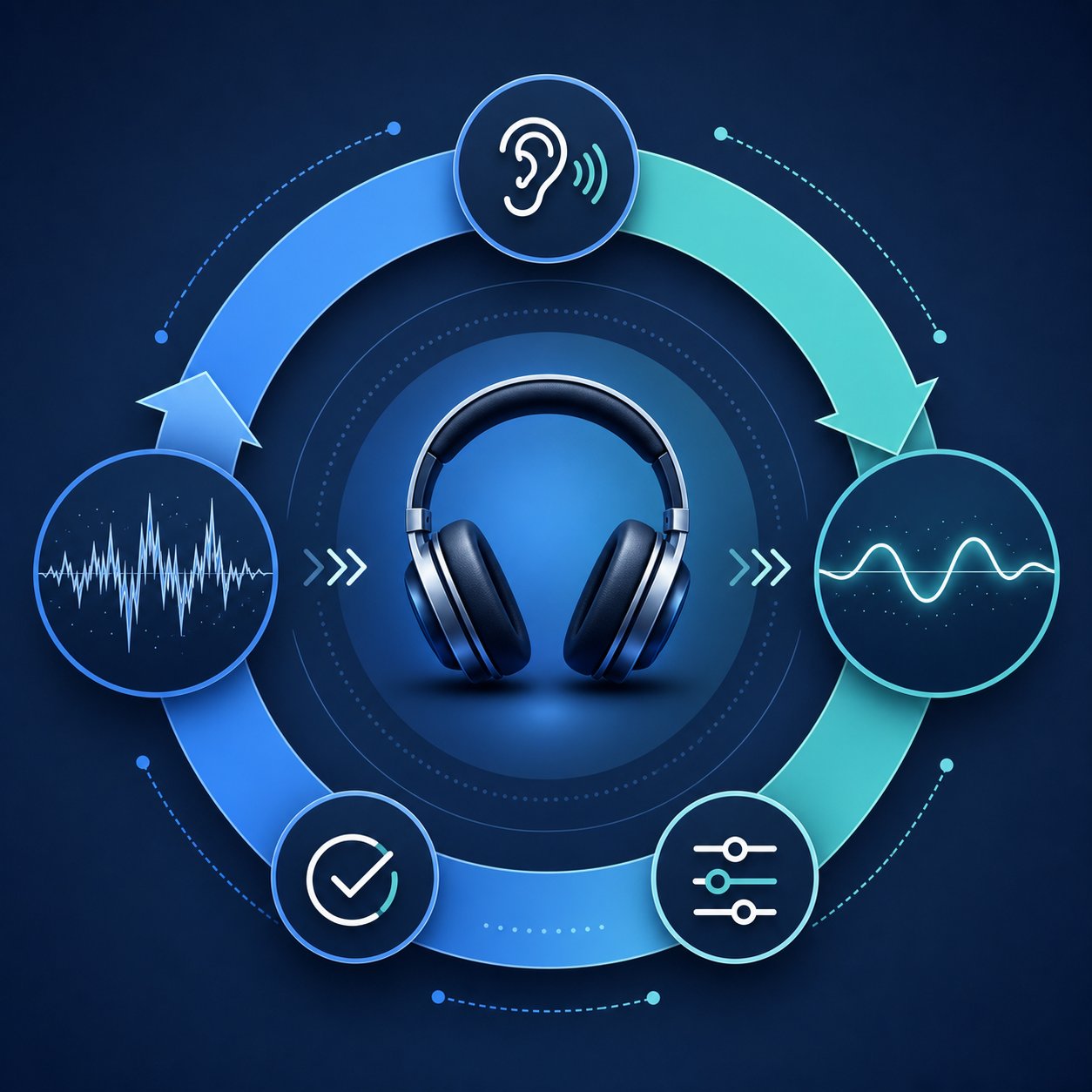
Step 5 — Iteratively revise and refine the text until it sounds perfect
You’ve got a promising result: the melody sounds harmonious, the rhythmic foundation feels just right, and the overall atmosphere nearly matches your vision. However, “nearly” isn’t the end of the journey. The first version that caught your attention remains raw material, not a finished composition. The key is to treat it as a starting point, not a final product. This shift in mindset is what separates those who merely experiment from those who systematically create tracks worthy of sharing with others.
Refining AI-generated music is less about luck and more about having a reproducible process. The goal is to systematically close the gap between what the AI provided and what you actually envision in your imagination.
The “Listen – Evaluate – Adjust” Cycle
Every experienced creative professional—whether working with AI or collaborating with a full band—follows the same basic cycle: critically analyze the material, identify what works and what doesn’t, and then make targeted adjustments. When using AI-based music tools, this cycle accelerates: each edit takes only a few seconds instead of the hours typically required in a music studio.
Here’s how to work effectively with this material. During your first careful listen, divide your attention into two categories: elements that already work and elements that seem not quite right. Be as specific as possible. A phrase like “the chorus vocals are great, but the verse sounds flat” provides useful feedback you can act on. In contrast, saying “everything is not quite right” offers no concrete direction for improvement.
Once you’ve identified exactly what needs changing, adjust your prompt to address those specific issues rather than rewriting everything from scratch. If the instrumentation was perfect but the vocals sounded too aggressive, leave the instrumental descriptions unchanged and modify only the vocal direction. Changing too many parameters at once makes it impossible to determine what fixed the problem and what might have caused new issues.
Think of each iteration as a dialogue: you give the AI a certain direction, it responds with its interpretation, and then you refine it. The more precisely you articulate your instructions, the closer the next result will be to your vision. This is how you learn to craft melodies through collaboration with AI—not by accepting the first suggestion as-is, but by gradually shaping it through cycles of targeted feedback.
When to Iterate and When to Start Over
Not every issue should be fixed through repeated iterations. Some results have a fundamentally solid foundation and need only minor tweaks, while others are built on a fundamentally flawed idea. Understanding this difference will help you avoid spending twenty minutes refining a track that should have been discarded after the first listen.
Request refinement in the following cases:
- The overall structure and general mood are correctly maintained, but individual elements require adjustment.
- The melody or rhythmic foundation is expressive, but the audio mix balance seems unbalanced.
- The vocals are performed well, but one of their parts—either a verse, chorus, or bridge—fails to meet expectations.
- This track is close to your musical perception but requires different energy or tempo.
Start over from scratch in the following cases:
- The genre interpretation is fundamentally incorrect—you requested jazz but received EDM.
- The emotional tone is completely missed—not just slightly off, but going in the entirely opposite direction.
- The vocal melody seems chaotic and meaningless—it lacks catchy motifs or standout musical moments.
- Multiple factors simultaneously contradict each other, indicating the presence of conflicting prompt signals.
A useful rule of thumb: if you can name at least one or two specific points that need fixing, ask for refinement. If your response sounds like a general remark such as "this doesn't work," start over—but with a revised and more clearly formulated prompt. Trying to fix a fundamentally mismatched concept is just wasting time; it is much more effective to start anew with a more precise formulation.
Using platform features to improve section structure
Most AI-based music platforms offer multi-stage composition refinement features—much more complex than simple playback. Mastering these tools transforms you from someone who simply rolls the dice into a music creator capable of consciously and purposefully shaping a music track.
Track extension and shortening. Many generators allow you to extend a song by adding new segments after its initial output. This is particularly useful if you are satisfied with the first 60 seconds of the composition but want a full two-minute version. Suno Canvas interface This feature allows you to develop the composition based on an already strong existing segment, adding verses, bridges, or final sections that match the specified style. Think of Suno Canvas as a musical canvas where you apply new elements onto an existing foundation, rather than creating everything from scratch each time.
Inpainting and segment replacement. One of Udio's key features is the ability to replace individual segments of a track without regenerating the entire file. If your verse is perfect but the chorus fails, you can regenerate only that chorus, leaving the rest of the composition unchanged. Such precise, section-level tweaking is a real breakthrough for those who previously lost excellent verses because they had to regenerate the entire track just to fix a bridge. This is the closest approximation that modern AI music tools can offer to a traditional composer's workflow: the ability to make edits to individual musical parts while preserving the integrity of the work.
Variation and remix features. Several platforms allow you to use an existing output and generate variations of it. The AI system takes your original track as a starting point and creates alternative versions that retain its essence but differ in specific details. This approach is particularly effective when you already have a version that meets 80% of the desired result. Instead of starting from scratch, you can ask the tool to explore structurally and sonically similar variants.
Here are typical problems you may encounter during the refinement stage, along with ready-made prompt-based solutions that directly address these shortcomings:
- Vocals too quiet in the mix → Add "expressive vocals" or "vocals forward in the mix" to the description
- Incorrect tempo or energy → Specify BPM explicitly (e.g., "72 BPM") instead of relying on vague descriptions like "slow"
- Instruments sound indistinct or muffled → Reduce the number of instruments in the description and add "clean mix" or "spacious arrangement"
- Song ends abruptly → Add "soft fade-out" or "clean ending with a final chord" to the structure description
- Chorus does not stand out against the verse → Add "dynamic contrast between verse and chorus" or "chorus builds with layered harmonies and full instrumental arrangement"
- Vocals mispronounce words → Simplify complex words in the lyrics or break them down into phonetically clearer alternatives
- Track sounds monotonous or lifeless → Add sound texture descriptions, such as "tape saturation," "analog warmth," or "live performance atmosphere"
- Mood is too intense or too subdued → Replace emotional descriptions with more precise ones ("melancholic" instead of "sad," "energetic" instead of "active")
Each of these fixes targets one specific variable. Such precision makes a big difference: by changing only one parameter at a time, you can accurately determine what works and build on that approach, rather than completely distorting the result by rewriting the entire prompt.
At some point, you will encounter the limits of what can be overcome by repeatedly requesting improvements. Artificial intelligence can perfectly reproduce the arrangement and melody, but still create a mix that requires spot correction—for example, softening harsh high frequencies or enhancing low frequencies. This is where external editing tools come to the rescue. There are free options, such as DAW systems with features enhanced by artificial intelligence. Audacity is suitable for simple cuts and audio normalization, as well as specialized AI-based mastering services—they can refine the last 10–15% of the material that automatic generators cannot fix. The main thing is to know how to determine when you have already extracted everything an AI tool can offer, and it is time to move on to post-production.
A free AI-based vocal mixing tool can help balance the vocal level with the instrumental sound after export. A music mashup generator allows you to combine the best fragments from different musical eras into a single, harmonious track. Even creating a piano accompaniment based on an audio recording using AI-based transcription tools becomes possible if you have a solid foundation to work with. The iteration phase in the generator is responsible for creative decisions, while post-production handles technical processing.
Most creators find the optimal balance after three to five cycles of targeted iteration. By this point, the prompt has been perfected, the structure works correctly, and the result is already close enough to the final version for finalization. If after eight to nine iterations you are still facing the same problems, this usually means it is necessary to reconsider the concept itself at the level of the initial brief, rather than continuing to improve a result that initially does not meet the set task.
After you have carefully refined the track and achieved perfect sound, the last step is preparing the material for use in real-world conditions: exporting in the required format, making final edits, and reviewing licensing rules that determine where exactly your music can be used.
Step 6: Exporting, Editing, and Preparing Music for Use
Your track sounds as if it were directly inside the generator: the melody is successful, the mix is balanced, and the structure is natural and smooth. However, a track that remains only on the platform brings you no benefit yet. The final stage is to take it out of the tool and introduce it into the real world—whether as a soundtrack for a video, the intro to a podcast, or inclusion in a music playlist. At this stage, practical decisions are made that bridge the gap between a finished work and music ready for use.
Export Formats and Their Use Cases
Most AI-based music platforms offer at least two export options, and the choice of a specific format depends entirely on what you plan to do next. If you choose the wrong format, you will either waste storage space on unnecessarily large files or lose audio quality that cannot be recovered.
Here is a detailed breakdown:
| Format | File Size | Quality Level | Most Typical Use Case |
|---|---|---|---|
| WAV | Large data volume (~10 MB per minute) | Uncompressed, maximum playback quality | Master file for further editing, video production, and professional projects. |
| FLAC | Medium size (40–60% smaller than WAV) | Lossless, quality identical to WAV format. | Archiving, data exchange without quality loss, podcast creation |
| MP3 (320kbps) | Small volume (~2.4 MB per minute) | Lossy, but excellent for listening. | Streaming uploads, social media, and quick content sharing |
| MP3 (128kbps) | Very small data volume (~1 MB per minute) | Quality loss with noticeable reduction in playback quality | Previews, drafts, and situations where file size is critically important |
The practical rule is simple: first export in WAV or FLAC format, and then, if you need a smaller file for distribution, compress it to MP3. You can always convert a lossless file to a lossy one, but you can never recover details that were removed during lossy compression. If you plan to upload a song to YouTube or any other platform that re-encodes the file upon upload, start with WAV to get the cleanest source material. If you need free music for a podcast intro or background music for a video, WAV preserves the full dynamic range, ensuring your sound sounds professional on various playback systems.
Basic Post-Processing for Better Sound Quality
AI generators produce surprisingly high-quality results, but a few minutes of post-processing can turn a good composition into something that sounds professional. You won't need expensive software or audio engineering experience. Audacity, a free open-source editor, handles everything listed.
The most effective quick fixes:
- Normalization: Adjusts the overall volume so your track has a consistent loudness level. This is important when AI-generated music will be played alongside other audio. Normalizing peak values to -1 dB prevents distortion, while normalizing loudness to around -14 LUFS meets YouTube and Spotify platform standards.
- Silence Removal: Most generators add a beat or two of silence at the beginning and end. Remove it. Clean starts and ends give your track a polished feel, especially for jingles or intro music.
- Fade In and Fade Out: A half-second fade-in eliminates clicks at the start. A two- to four-second fade-out creates a smooth ending that works better for voiceovers or video transitions than an abrupt stop.
- Basic EQ: If the low frequencies sound muddy, a gentle high-pass filter around 80 Hz cleans up the sound without thinning it out. If vocals seem muffled, a slight boost in the 2-4 kHz range adds clarity.
Apply these changes in the specified order: trimming first, then equalization, and finally normalization. Normalizing before other changes means you'll have to repeat it after each adjustment.
Once your track is polished, adding it to a project is usually straightforward. If you're wondering how to add music to Canva, their video editor accepts MP3 and WAV files directly onto the timeline. For podcasts, most hosting platforms accept MP3s with a bitrate of 128-192 kbps for spoken content with musical accompaniment. Video editors like DaVinci Resolve, Premiere Pro, or even iMovie handle WAV files natively. You can also add background visuals to a musical performance using AI video creation tools by matching the exported track with a free AI music video generator that synchronizes visuals with audio, turning a standalone song into shareable social media video content.
For creators making AI music videos, export format matters for synchronization. In professional video editors, WAV format ensures frame-accurate alignment, while MP3 works well for social media-focused content where minor timing shifts are unnoticeable. If you're creating free jazz music for a café video or layering beats over a product demo, WAV gives your editor maximum flexibility for volume automation and smooth transitions.
Understanding Licensing and Commercial Rights
This is the part most creators skip and later regret. Licensing terms for AI-generated music vary widely across platforms, and assumptions about ownership can create real problems when money is involved.
The core issue: copyright law hasn't fully adapted to AI-generated content. Ownership typically depends on how much human creative input influenced the final result. Simply writing a prompt may not be enough to establish copyright. Choosing between options, editing, and making thoughtful creative decisions strengthen your rights, but the legal landscape is still evolving.
What this means in practice:
- Platform Terms of Service define your rights, not just copyright law. Each tool's terms of service state whether you can use outputs commercially, whether you have exclusive rights, and whether the platform retains any ownership. These terms vary significantly.
- Free tiers often restrict commercial use. Some platforms grant full commercial rights only on paid plans. Using content generated on a free tier in a monetized YouTube video or client project may violate the terms you agreed to.
- "Royalty-free" doesn't mean you own it. It means you don't pay per use, but restrictions on where and how you use the content may still apply.
- Exclusivity is rare. Most platforms can generate similar-sounding results for other users based on similar prompts. Your track is likely not exclusive to you unless the platform explicitly offers that option.
Before using any AI-generated track commercially, whether as background music for a corporate video, a jingle for a client, or background audio for a monetized podcast, review the specific platform's licensing terms. Look for clear answers to three questions: Can I use this commercially? Do I need to attribute the platform? Can I register this with a distributor or content ID system?
Platforms frequently update these rules. What was allowed six months ago may have changed. Checking the terms before each commercial use, rather than just once during registration, will protect you from unexpected surprises in the future.
After exporting, processing, and obtaining permission to use your track, you have a complete workflow from concept to finished product. However, even experienced creators encounter recurring issues that waste time and lead to unsatisfactory results. Knowing the most common mistakes in advance will save you from having to learn from your own errors.

Very Common Mistakes When Creating Music with AI and How to Avoid Them
All the methods described so far do work. However, knowing the correct process does not protect against mistakes that subtly undermine the quality of the result. These pitfalls catch almost everyone—whether you are just mastering the creation of your own songs or have already recorded dozens of tracks. Timely recognition of these problems allows you to save hours of frustration and avoid losing sound credits.
Mistakes That Occur at an Early Stage and Lead to a Loss of Quality in the Final Result
The prompt is your only way of interacting with AI. If the results do not meet expectations, the problem almost always lies in your input itself, not in the tool. In threads on Reddit communities dedicated to AI-based music generators, the same mistakes recur again and again—and each of them can be fixed quite simply.
- Vague prompt ("create a cool song") → Specify at least the genre, mood, tempo, and one detail of the instrumental accompaniment. Four descriptors are the minimum for consistent quality.
- Contradictory descriptions ("aggressive and gentle") → Choose one emotional direction per generation. If you need contrast, describe it structurally: "gentle verse transitions into an aggressive chorus."
- Song structure not specified → Add markers such as "verse-chorus-verse-bridge-outro" to your prompt or use tags [Verse], [Chorus] in the lyrics. Without them, AI will default to using repetitive loops or unpredictable arrangements.
- Ignoring genre conventions → A country-style prompt requires steel guitar and narrative lyrics. A trap beat requires 808s and hi-hats. Generic instrumental accompaniment in a genre-specific prompt creates something that sounds like nothing in particular. Guidelines for using prompts emphasize the importance of specifying subgenres and era-specific details for more accurate results.
- Overloading with too many descriptions → More than seven or eight elements in a single prompt tend to confuse the model. Prioritize essential elements and let the AI fill in secondary details.
- Expecting AI to vocalize your vision with a single word → "Jazz" can mean Coltrane, easy listening elevator music, or acid jazz fusion. AI does not read your mind. The more specific you are, the less it has to guess.
- Omitting exclusion conditions → If you do not want vocals, write "instrumental only." If you hate autotune, add "no autotune." Telling AI what to avoid is as effective as telling it what to include.
- Ignoring licensing terms before commercial use → Free tiers on many platforms restrict commercial rights. Using a track in a monetized video without checking the terms can lead to removal or more serious consequences. Always carefully read the fine print before publishing.
Setting Realistic Expectations for AI-Based Music
Questions like "which AI music generator is the best" often appear on forums because users believe that the right tool eliminates the need for creative input. However, this is not the case. Every platform—even the best free AI music generators of 2025—requires your active participation: you must provide clear instructions and be prepared for multiple adjustments.
Here is an honest picture of the areas where AI-based music technologies are currently demonstrating the greatest effectiveness:
- Catchy melodies and hooks: AI tools are surprisingly good at generating catchy melodies, especially in pop, electronic, and hip-hop genres.
- Background and ambient music: Tracks intended for use as background music for videos, podcasts, or presentations come out polished and ready to use on the first or second try.
- Specific production: Lo-fi hip-hop, cinematic orchestral music, synthwave, and other well-represented genres consistently perform well because the training data is rich in these styles.
- Speed and volume: Generating ten variations in five minutes gives you creative options that would take days to create in a traditional studio.
And in the areas where challenges still persist:
- Complex, evolving arrangements: tracks requiring subtle dynamic changes over four to five minutes sometimes lose coherence in later parts.
- Nuanced emotional delivery: a human vocalist conveys grief, irony, or tenderness through micro-decisions that AI can approximate but cannot replicate with full authenticity.
- Highly original compositions: AI excels within established genre conventions. Truly innovative, boundary-pushing music still requires human creative risk.
- Culture-specific music: genres closely tied to regional traditions or the energy of live performances, such as flamenco, traditional folk music, or free jazz, often sound somewhat artificial.
Understanding these boundaries helps avoid disappointment from expecting perfection where technology has not yet reached the necessary level. If you are wondering how to create a song that sounds truly professional, the answer is not in searching for some magical tool. It is all about combining a clear creative concept, thoughtful prompting, objective evaluation of results, and willingness for multiple iterations.
Checklist for troubleshooting common issues
If generation fails, be sure to go through this checklist before trying again. Most problems have a root cause that can be identified and resolved in less than a minute.
- The sound is generic and unexpressive → Your prompt likely lacks specificity. Add era, subgenre, sonic texture, and at least one unique descriptor (“tape saturation,” “drenched in reverb,” “lo-fi warmth”).
- Vocals are distorted or lyrics are pronounced incorrectly → Simplify complex or rare words in the lyrics. Fewer syllables per line and consistent meter will help synchronize vocals better.
- The track feels repetitive, without development → Add structural cues to your prompt: “builds from a sparse verse to a full chorus” or use section markers like [Verse], [Chorus], [Bridge] in the lyrics.
- The mix sounds muddy or overloaded → You may have requested too many instruments. Reduce them to three or four main elements and add “clean sound” or “spacious sound” to the descriptions.
- The mood does not match the genre → Swap out adjectives describing emotions. “Melancholic” and “sad” yield different results. Try more precise phrasing: “wistful,” “poignant,” “contemplative,” or “longing.”
- Generation after generation misses the mark → Go back and revisit your creative brief from step 1. The problem is likely at the conceptual level, not the prompt level. Redefine the goal before regenerating.
- Great verse, weak chorus (or vice versa) → Use platforms with section-level regeneration capabilities, such as the inpainting feature in Udio. Or generate several full tracks and combine the strongest sections using a free editor like Audacity.
- The track cuts off or ends abruptly → Specify duration in the prompt and add a closing cue: “clean fade-out,” “final chord,” or “soft ending.”
The overarching idea connecting all examples in this list is the same: each new AI generation should be viewed as an experiment, not a final attempt. How to create a song that sounds amazing? Just like any creative craft develops—through deliberate practice with feedback. Each subsequent generation helps you understand how AI interprets language, which descriptive traits trigger strong responses, and exactly what needs refinement or improvement in your creative vision.
Learning to create songs with AI is primarily less about mastering any single tool and more about developing a feedback loop between your ear and your prompts to the AI. The best results are achieved not by those with the most expensive subscriptions, but by those who carefully observe what each new stage of interaction with the system reveals and adjust their approach accordingly. How to create your own music that sounds intentional rather than random? You stop perceiving the generator as a slot machine and start seeing it as a partner that becomes smarter as you become clearer and more precise in your communications.
Here is the complete workflow: from idea generation and tool selection to prompt formulation, generation, iterations, post-processing, and finally, troubleshooting. Each stage directly influences the next, and the skills acquired at each stage accumulate and strengthen over time. Your tenth track will sound much better than your first—not because the artificial intelligence has improved, but because you have.