
What a Free AI-Based Music Generator Can Offer You
Imagine typing in a phrase like “energetic electronic composition with quiet piano accompaniment and dynamic rhythm” 120 BPM and hearing a professionally recorded musical piece within just 30 seconds—no instruments, no recording studio, and no years of training required. This is exactly what AI-based music generators do, and you can use them completely free of charge.
This practical guide is designed for those who want to create their own music using free artificial intelligence tools and achieve real, usable results. There is no fluff and no disguised advertising here—just a clear, step-by-step explanation of how this technology works, which free solutions are available, and how to make the most effective use of them.
What an AI-Based Music Generation System Actually Does
In essence, an AI-based music generator is a machine learning model trained on large datasets of recorded music. During training, the model learns statistical patterns in rhythm, harmony, instrumentation, and song structure. When you enter a text description of what you want to create, the model predicts what the next audio sequence should be based on these learned patterns and generates an original audio clip from scratch.
You set the creative direction: genre, mood, instruments, tempo, and energy level. The AI handles composition, arrangement, and production. The result is not a remix or a mix of samples, but a completely new audio production that did not exist before your request. Think of it as a way to bring musical ideas to life without playing a single note yourself.
However, these tools are by no means magical. They do not “understand” music the way a trained composer does. Instead, they predict which sounds have a high statistical probability of matching your description. This distinction is significant because it explains why results can be surprisingly good, and why they sometimes miss the mark.
What You Can Really Expect for Free
Terms for free plans vary depending on the platform, but typically you get: tracks ranging from 30 seconds to 3 minutes in length, the ability to create between 5 and 50 compositions per day, and sound quality ranging from demo-level to fully professional results (depending on the specific service and your prompt). Some platforms, such as Suno, provide 50 free credits daily, while others—like SongR—allow you to create up to 5 full songs per day even without registration.
Free plans are not merely stripped-down versions of the service. Many creators use them every day to produce music for tech videos, podcast intros, and social media content. The limitations apply only to volume quotas, not to quality.
Can you get better assistance in creating music? Absolutely—and progress is happening very quickly. However, even now, free tools allow you to create tracks that sound professional enough for real-world projects. You don’t have to settle for poor-quality results just because you aren’t paying for them.
Who This Guide Is For
This tutorial is intended for content creators who need background music tracks for YouTube or TikTok, podcast hosts looking for original intro melodies, game developers seeking soundtracks suitable for endless looping, and hobbyists who simply enjoy creating content. If you’ve ever dreamed of having a personalized song for your project but lacked the resources or skills to create one, this guide is your perfect starting point.
You don’t need musical training or expensive software solutions—all you need is a web browser and a clear idea of what your musical piece should sound like. In the rest of this guide, we will show you step by step how to choose the right tool, craft effective prompts for high-quality results, and turn raw AI generations into ready-to-use material.
Understanding the Three Main Types of AI-Generated Music You Can Create
Not all AI-generated audio content is created equal. A background beat for a YouTube video and a full vocal track for TikTok require completely different tools and workflows. Before choosing a platform, you need to understand which category your desired output falls into. Most free AI music creation tools fall into three types, and confusing them can result in wasting your daily generation limits on unusable materials.
Text-to-Instrumental Generation
This is the most common form, and perhaps the first one encountered by beginner users. You enter a text description—specifying the mood, genre, tempo, and instruments used—and the artificial intelligence generates a ready-made instrumental track without vocals or lyrics. Think of it as an automated instrumental generator that handles composition, arrangement, and mastering in a single step.
Text-to-music generation tools are particularly effective for creating background music, beats, atmospheric soundscapes, and functional audio recordings designed to support other content rather than stand alone. The resulting outputs are ideal for the following applications:
- Video backgrounds for YouTube, TikTok, or Instagram Reels
- Intros, outros, and background music for podcasts
- Game soundtracks and looped ambient tracks
- Musical accompaniment for presentations and corporate videos
Platforms like SOUNDRAW specialize exclusively in generating instrumental backgrounds: they provide controls and settings to adjust the mood, genre, and energy of the music without requiring vocal parts. If you want to use Suno in instrumental mode, most song-focused platforms also offer a switch that completely removes vocals and generates a purely instrumental composition based on your prompt. This flexibility allows you to use the same tool for both instrumental and vocal projects, depending on the mode selected before generation.
Text-to-Song Generation with AI Vocals
This category takes things to the next level. Unlike simply creating background audio accompaniment, these tools can generate entire songs—with vocals, written lyrics, melody, harmony, and full orchestral accompaniment—all created from a single text prompt. The resulting output sounds like a real song performed by a live artist, not just a background track.
Typically, the workflow offers two options: either write your own lyrics and have the AI create the music for them, or describe the concept of the composition, in which case the AI handles both lyric writing and vocal performance. If you are looking for the best AI solutions for generating song lyrics, platforms like Suno and Udio combine lyric creation and vocal performance into a single process. Simply describe something like "energetic indie-pop about road trips with female vocals," and the system will provide a finished vocal track within two minutes.
Vocal quality varies significantly depending on the platform. Some generate voices that sound remarkably natural, while others still produce an obvious synthetic tone. According to the 360IA comparative review for 2026, Suno AI and Udio AI are currently the market leaders in vocal part generation, combining realistic voice quality with an intuitive interface. These tools are also suitable for creating rap compositions: they successfully handle recitative and rhythmic vocals, although they deliver the most impressive results in pop, rock, and electronic genres.
Stem Separation and Arrangement Tools
The third category is less about creating music from scratch and more about transforming or deconstructing existing audio recordings. Stem separation tools use artificial intelligence to break down a finished musical piece into individual components: vocals, drums, bass, guitar, and other instruments. Arrangement tools help restructure musical ideas, generate specific elements—such as drum rhythm patterns—or create piano arrangements based on existing audio.
These tools are designed not just for generating music, but for working with existing material. For example, the Moises service uses audio separation technology that allows you to isolate individual instruments from any uploaded track; this provides the opportunity to practice by playing along with isolated parts or to create remixes of existing compositions. There are also free AI tools capable of creating piano arrangements based on audio recordings: they analyze the harmonic structure and output MIDI data or sheet music, which can then be edited.
Here is how each type of generation corresponds to typical use cases:
- Instrumental music — for content creators who need background tracks, podcasters, game developers, and anyone who needs high-quality sound that does not distract attention.
- Full songs with vocals — for social media content creators, hobbyists creating personalized tracks, and anyone who wants to get a full-fledged sound with lyrics and vocals.
- Individual tracks and arrangement — for producers making remixes of existing material, musicians rehearsing with individual parts, and composers who want AI to handle specific elements while they control the rest.
If you determine the required type of tool in advance, you will save a lot of time. A content creator who only needs a 60-second upbeat background track does not need a generator for full songs with vocals. And a musician who wants to extract a drum part from a reference composition will not benefit at all from a text-to-music creation tool. First, select the category that matches your project, and then choose the specific platform that best handles this task.
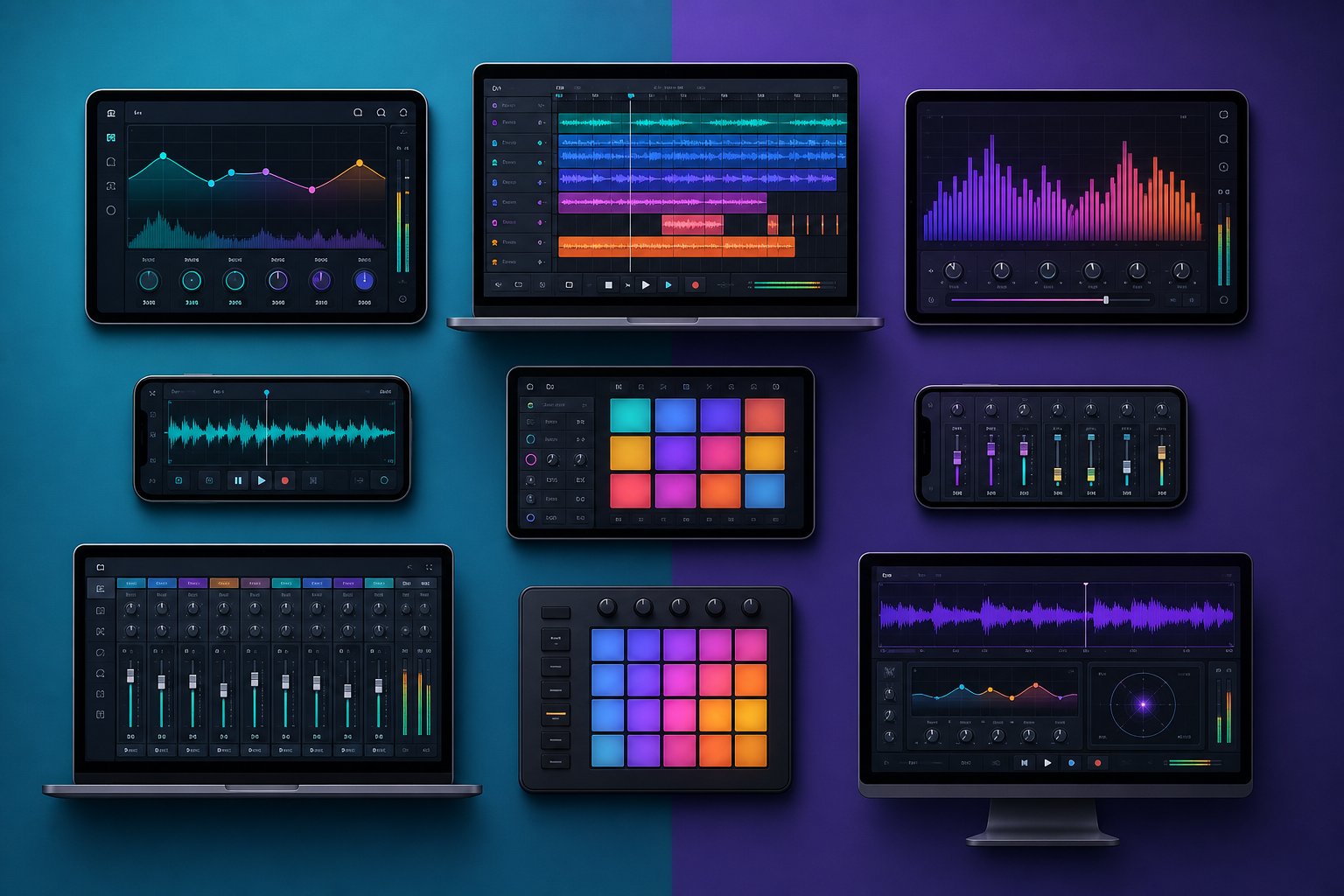
How to choose the right free AI-based music generation tool depending on your needs
You already know what specific type of AI-based music you need. Now there is only one question left: which of the available tools can really provide such music for free? At the moment, the range of free solutions is surprisingly extensive, but each platform offers its own compromises—in terms of track length, daily limits, coverage of musical genres, and commercial license conditions. Choosing the wrong service may result in you spending all your free generations on music that cannot be used for commercial purposes or that does not fit the style of your project.
Instead of guessing, here is a comparative overview of the best music creation apps with free access. All the tools listed below allow you to create ready-made audio files completely free of charge, but it is the details that play a key role here.
Comparison of free AI-based music generators in parallel mode
This table presents the key differences that really matter when choosing where to publish your tracks. If you plan to publish your compositions on paid platforms, pay special attention to commercial usage rights.
| Tool Name | Maximum Track Length | Free Daily Generations | Supported Genres | Commercial Usage Rights | Export Format |
|---|---|---|---|---|---|
| Songai | Up to 3 minutes inclusive | Several times a day | Wide range of musical genres: pop, electronic, ambient, cinematic, lo-fi, and many others. | Yes, commercial use is royalty-free. | MP3 |
| Suno | Up to 8 minutes | About 10 songs (50 credits per day) | All major musical genres (pop, rock, hip-hop, electronic music, country, jazz). | No (the free plan is intended exclusively for non-commercial use). | MP3, WAV (paid version) |
| ElevenLabs Music | Full versions of songs | Up to 7 songs per day | Project in several musical genres with vocals in multiple languages | Yes (self-service plans with some exceptions). | MP3, WAV |
| SOUNDRAW | Up to 5 minutes inclusive | Preview only (payment required for export) | More than 15 genres with mood and energy adjustment | No (available only for paid plans) | WAV (paid version) |
| AIVA | Up to 5 minutes inclusive | 2 downloads per month | More than 250 styles (classical, cinematic, electronic, jazz, and others) | No (the free plan is intended exclusively for non-commercial use). | MP3, MIDI |
| Udio | Up to 15 minutes | 10 per day + 100 per month | All major musical genres, dominated by electronic and hip-hop music. | No (the free plan is intended exclusively for non-commercial use). | MP3 |
During this comparison, several key points can be highlighted. The Suno AI music generator offers the most generous daily limits for free version users: about 10 full compositions per day in almost any genre. It is hard to find an equal to this volume if you are experimenting and need many options. However, Suno's free plan does not provide for the transfer of commercial rights, which means you will not be able to legally monetize content that uses tracks created in this way.
If the possibility of commercial use is important to you from the very beginning, the Songai service stands out favorably: it provides a royalty-free license, even for free generations—without the need to upgrade to a paid plan. You can create music beats, download them, and use them in YouTube videos, podcasts, games, or social media content without fear of blocks or licensing fees. Moreover, there is no complex registration procedure required, so you can start creating music immediately.
The AIVA AI-based music generator uses an innovative approach. The free access plan allows you to download music only three times a month, but the quality of works for cinematic and classical soundtracks here is exceptionally high. If you need orchestral background music accompaniments for a film or game trailer—and only require a few tracks—AIVA delivers results that other free tools in this specific area cannot achieve.
SOUNDRAW AI allows you to freely listen to and customize generated music tracks using mood, tempo, and energy controls in real time, but you will encounter paid access immediately upon attempting to export. This platform is useful for evaluating ideas and understanding how AI-created instrumental compositions sound, but it is not suitable for creating ready-made content without a budget.
In this area, there are also platforms such as freebeat ai and remusic.ai, which offer different levels of free access to beat generation and song creation. The environment is constantly changing—new tools appear, and existing services adjust their free pricing plans, so before starting to use a particular tool, it is worth clarifying the current limitations.
Which tool is right for your specific task?
The "best" tool depends entirely on what you are creating and where you plan to use the result. Below are recommendations for choosing the appropriate platform based on your specific tasks:
- For content creators who need background tracks, Songai or ElevenLabs Music are suitable. Both services provide rights for commercial use even in free plans, and the generation process allows you to get a ready-made track in less than a minute. You receive music suitable for YouTube, TikTok, and Instagram without unnecessary licensing complexities.
- For creating intros and outros for podcasts, Stable Audio or Songai are best suited. Since such fragments are usually short (15–30 seconds), track duration limits do not play a role. It is worth choosing tools that qualitatively create music in ambient, electronic, or energetic instrumental genres.
- For game developers who need looped compositions (loops), it is worth paying attention to AIVA (for cinematic and orchestral sound) or Suno in instrumental mode (for more modern styles). In games, the ability to seamlessly loop is important, so look for tools that create tracks with a clean ending or a repeating structure that is easy to trim.
- For musicians looking for creative ideas, Suno or Udio are suitable. Both services create full arrangements that can be used as demos or sources of inspiration. The ability to export individual tracks (stems) in Udio's paid plans is particularly useful if you plan to transfer the AI-generated track to a DAW and replace some parts with live instruments.
- For social media content authors who need full songs with vocals, Suno's free plan is best suited: it offers the highest number of generation attempts per day. You can create several options, choose the best one, and use it in short videos. However, do not forget about the restrictions on commercial use rights if you plan to monetize the content.
Among the best music applications currently available, there is no universal solution that would be ideal for all tasks. It is most reasonable to use two or three different platforms for various purposes: one for quickly creating background music tracks ready for use in commercial projects; another for intensive experimentation; and a specialized platform for creating music in niche genres, such as classical music or film soundtracks.
The real difference is not the tool that creates the highest quality sound on the first try, but the one that provides enough free attempts to repeatedly refine the result until it matches your vision. It is in this iterative process—refining prompts and generating options multiple times until the track turns out perfect—that true professional skill is revealed.
Practically Successful Topics for Essay Writing
You've chosen your musical medium and are now looking at the text input field. What you enter next will determine whether you get a professional track or just a mediocre piece. Many people write something like "create a relaxing beat" and wonder why the result sounds like background music from a 2003 elevator. The difference between useful AI-generated music and complete nonsense depends entirely on the structure of the prompt—and this skill can be mastered in just five minutes.
Anatomy of an Outstanding Musical Prompt
AI-based music generation models interpret your text probabilistically, matching descriptive words with learned musical patterns. According to Sonygram's research on prompt engineering, the first words in a prompt carry disproportionately large weight because models prioritize initial tokens during generation. This means that word order is just as important as word choice.
An effective prompt includes 4 to 7 key elements. Fewer elements lead to generic, banal results. Too many elements dilute the core message and confuse the model. Here is the formula:
Genre + Mood + Instrumentation + Key/Scale + Tempo (in beats per minute, BPM) + Arrangement + Recording Style
Think of these words as the phrasing that helps AI truly understand music. Each element narrows the creative space, reducing randomness and providing the model with clear boundaries to work within. It's not necessary to include all elements in every prompt—however, consistently using at least four of them yields better results than vague one-liners.
Prompt example: "Melancholic lo-fi hip-hop with dusty drum rhythms, Rhodes piano in A minor at 78 BPM, a cyclic 16-bar structure, and warm analog saturation." Such a prompt allows for the generation of a coherent, genre-accurate musical loop because each element provides clear constraints for the AI to follow.
Note how this prompt explicitly specifies the key and tempo (BPM). Specifying the tempo serves as an anchor for the rhythmic grid: without it, the model determines speed based on genre probability, which often leads to unstable tempo or rhythm that feels slightly off-beat. Specifying the key stabilizes the harmonic direction and ensures consistent chord progressions throughout the track.
Examples of Specific Prompts for Various Genres
Here are five prompt examples that you can copy, paste, and adapt to your needs right away. Each is tailored to a typical use case and clearly demonstrates how specific language choices affect the outcome. Consider them your song idea generator—suitable for a wide variety of projects.
Uplifting Corporate Background Music:
Inspiring corporate pop rhythm with bright acoustic guitars and light piano motifs, tempo 110 BPM, key of G major, clean digital sound processing, positive energy—the track structure lasts 60 seconds and gradually builds in intensity.
This ensures a clean, non-distracting sound—an ideal backdrop for music videos, product presentations, and presentation slides. Using a major key and moderate tempo gives the sound an optimistic character without making it aggressive.
Chill Lo-Fi Beats:
Nostalgic lo-fi hip-hop at 75 BPM, in D minor: warm, dusty swing drums with characteristic vinyl noise, Rhodes electric piano chords, muted sub-bass line, smooth 16-bar loop, and subtle magnetic tape-style saturation.
Dynamic drum rhythms, vinyl texture, and a minor key create the characteristic lo-fi aesthetic. Specifying the "seamless loop" parameter allows the model to generate a track that repeats smoothly and without interruption.
Cinematic Orchestral Sound
Dark cinematic orchestral soundtrack in A minor, tempo 90 beats per minute; introduction with persistent orchestral ostinato on lower strings, brass entrance at the 16th bar, tempo buildup with timpani, smooth crescendo to a dramatic climax at the one-minute mark, ending the soundtrack with strings featuring controlled decrescendo.
Timestamp-based temporal instructions and dynamic descriptions of musical arcs provide AI with a structural roadmap. This helps avoid the typical problem of static, repetitive musical loops appearing in response to orchestral cues.
Podcast Intro Melody:
Upbeat funk-pop melody — 120 BPM, in the key of F major; expressive bass groove, bright brass instrument stabs, claps on beats 2 and 4; total duration — 15 seconds; clean ending without fade-out.
The short duration and clear ending allow this fragment to be used immediately as a podcast intro without additional editing. Specific rhythm instructions prevent the AI from automatically defaulting to a generic "four-on-the-floor" rhythm.
Dynamic Game Music Soundtrack:
Energetic electronic track in the key of E minor, at a tempo of 140 beats per minute: aggressive synthesizer solo, dynamic rhythm with a clear "four-on-the-floor" beat, pulsating effect from sidechain compression, an ascending 8-bar structure leading to a powerful drop — all creating a dark and tense atmosphere.
The high tempo (BPM), use of sidechain, and composition structure built around the drop create a sound ideally suited for dynamic combat games. Specifying the genre direction as "dark and intense" helps prevent the AI from leaning toward cheerful electronic dance music (EDM).
Common mistakes in prompts that undermine the effectiveness of your search results
Even with the right tool, incorrect input data will result in low-quality music. Below are the most common mistakes and how to fix them:
- Excessive vagueness — a prompt like "make a cool beat" gives the AI almost no material to work with. Solution: specify at least the genre, mood, tempo, and one instrument. Even a variant like "relaxed lo-fi beat, 80 BPM, piano and soft drums" will work much better.
- Contradictory moods — a prompt like "calm, aggressive, gloomy, and uplifting" confuses the model, as these characteristics set opposing vectors. Solution: choose one primary mood and one additional adjective. "Gloomy and tense" is a good option, while "gloomy, joyful, and calm" is not.
- Requesting imitation of specific copyright-protected artists — trying to get a sound "like Drake" often yields worse results than describing the desired characteristics. Solution: describe musical features. "Melodic rap, 808 bass, melancholic atmosphere, male vocals with autotune" — such a prompt will bring you closer to your goal better than mentioning a star's name.
- Overloaded instructions — trying to fit 15 instruments, a mix of three genres, and a detailed arrangement scheme into one prompt leads to blurred results. Musci.io guidelines confirm: the optimal number of characteristics is 4 to 7. Solution: highlight the most important aspects and trust the rest to the AI's creative potential.
- Ignoring tempo and BPM indications — without a clear tempo indication, the model tries to guess it based on statistical probability for the given genre. Such guesses are often incorrect or unstable. Solution: always specify the BPM value. Use a range of 60–90 for slow and ambient compositions, 90–120 for tracks with moderate groove, and 120–180 for energetic music.
One of the most frequent questions is: can AI write me a K-pop style song? Of course, it can — but the prompt must be as specific as possible. The term "K-pop" itself is too broad, as the genre encompasses ballads, dance tracks, and hybrid forms including hip-hop. For example, a prompt like "energetic K-pop style dance track with combined vocals from multiple performers, meticulous production processing, tempo of 128 BPM, and a catchy hook with a dance break" will give the AI clear enough instructions to create a composition recognizable as representative of this genre.
The same principle applies if you are wondering how to write a song or how to create song lyrics using AI. The quality of the input data directly determines the quality of the result. A clear and structured prompt description is not just a plus, but a key factor that separates professional tracks from audio files that resemble chaotic noise stitched together. Once you master this stage, the generation process becomes almost effortless.
Creating Your First Music Track Using AI from Scratch
Your prompt is ready — the intellectual part of the work is already behind you. The rest is just a mechanical procedure: open the tool, paste your prompt, click "Generate," and wait for the result. However, a clear understanding of what happens at each stage helps eliminate uncertainty and speed up the process. Below is the complete workflow — from a blank screen to a finished audio file.
Generator Disassembly and Setup
Go to any free generator you chose based on the previous comparison. Most platforms immediately take the user to the music creation interface without requiring registration for basic use. Typically, you will see a text input field, mode selection (instrumental or vocal), and, if necessary, additional settings—such as duration or genre of the composition.
Before entering any text, select the generation mode. If you need background music, choose an instrumental composition. If you want a full track with vocals, select the option with vocals or song. This single setting completely changes the entire processing chain, so making the right choice from the start will avoid unnecessary generation. Some tools also allow you to set the track length here. For the first run, it is recommended to choose a short length—about 30–60 seconds—so that you can quickly test options without waiting for long processing.
Paste or enter the prompt text you prepared in the previous step. Make sure it specifies the genre, mood, and BPM. Then click "Generate".
Creating and Previewing the First Composition
After clicking the "Create" button, the artificial intelligence system processes your request. The waiting time usually ranges from 10 to 60 seconds, depending on the platform and track duration. Mubert's Beginner's Guide notes that most operations are completed within 10–30 seconds when processing standard-length tracks, while longer or more complex requests take about a minute.
Most tools generate several variants based on the same prompt—usually two to four options. This is how you can create your own song without relying on random selection. Each variant interprets your prompt slightly differently: one may emphasize drums, while another enhances melodic elements. Be sure to listen to all variants before making a decision.
Practical tip: generate 3–4 text batches based on the same prompt. Even identical inputs yield different results each time due to randomness in the generation process. This gives you a wider choice and helps you better understand how AI interprets your language. Whether you are exploring ways to create songs for a podcast or experimenting with 8-bit music style for retro games, at this stage, the volume of generations will be your main advantage.
Selecting the Best Variation
When faced with a choice among several options, how do you make a song selection that will truly stand the test of time? Simple listening is not enough—a systematic approach to evaluation is required, especially if the tracks sound similar at first glance but differ in subtle details that are crucial for your final project.
Check each variant against this checklist:
- Cohesive Structure — Does the track have recognizable beginning, middle, and end? Or does it resemble a random loop that starts and stops arbitrarily?
- Appropriate Dynamics (Energy) — Does the intensity build up and decline as required for your purposes? A podcast intro needs a quick burst of energy followed by a transition to a calmer sound, while a game track requires steady drive.
- Clean Transitions — Pay attention to any abrupt, inappropriate jumps between parts of the composition. Smooth transitions (e.g., between verse and chorus or between intro and main part) indicate higher quality generation.
- Mood Alignment — Does the emotional tone match what you requested? If you specified "melancholy" but received something upbeat and energetic, the track has failed—regardless of how well it sounds.
- Instrument Clarity — Can you clearly distinguish each element, or does everything blend into an indistinct sonic mush? Good instrument separation indicates a higher-quality base arrangement created by AI.
If none of your variations pass all five checks, do not rush to make a final choice. Regenerate with the same prompt or make a small adjustment. How to create a song that sounds good using AI? Just like in any creative process: generate, evaluate, and repeat the cycle until the result matches your vision. The first result is rarely final—and that is perfectly normal.
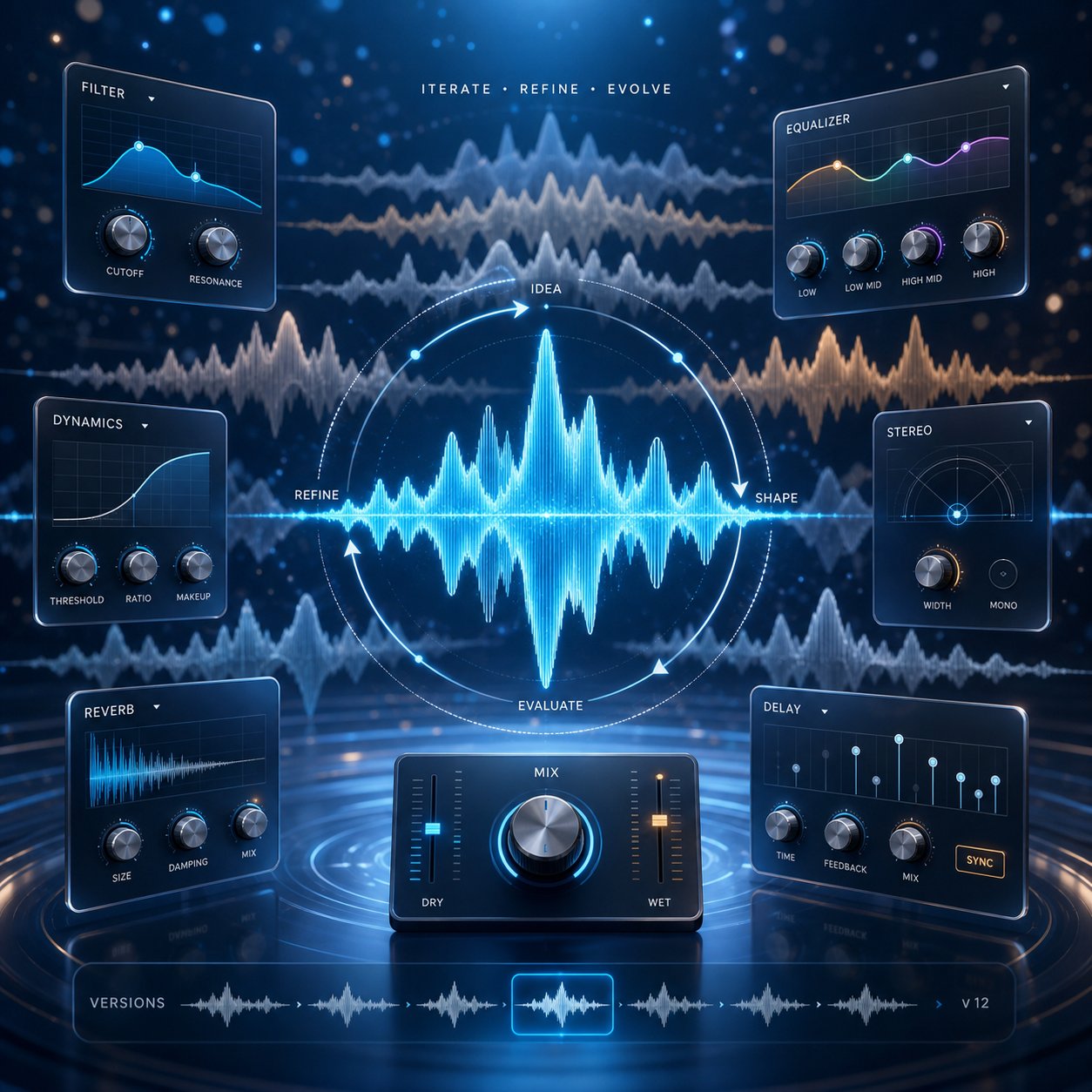
Refine the result until the track sounds perfect
The first music generation passed several checks, but not all. Perhaps the overall mood is conveyed correctly, but the tempo turns out to be too slow; or the instruments sound right, but the energy peaks too early. This is quite normal. AI music generation is inherently an iterative process, and it is during the refinement stage that quality tracks turn into truly usable compositions. The key is to understand exactly what needs to be changed, to what extent, and when to stop refining.
Adjusting the prompt based on the results obtained
Try not to give in to the temptation to completely rewrite your prompt after a nearly successful but unsuccessful attempt. Small, targeted adjustments yield more predictable results than a complete overhaul from scratch. As stated in the MusicSmith Quick Start Guide, approach prompt generation just like content creation: listen, adjust, and run again. Even changing just one word can drastically change the result.
Here is how to diagnose typical problems and perform the corresponding surgical fixes:
The track is too fast.
Before: "Energetic electronic track, driving beat, leading synth part, dark atmosphere"
After: "Energetic electronic track, driving beat, leading synth part, dark atmosphere, 105 BPM"
Specifying a specific BPM value locks the tempo. Without this parameter, the characteristics "energetic" and "driving" by default push the model to a tempo above 130 BPM. Lowering it to 105 BPM allows you to maintain the energy while slowing down the actual tempo.
The mood feels off: something doesn't feel right.
Previously: "Cinematic orchestral sound, emotional character, leading string instruments and piano, gradual increase in intensity."
After: "Cinematic orchestration, melancholic and contemplative atmosphere, featuring strings and piano, smooth build-up of intensity, major key"
Replacing the term "emotional" with "melancholic and contemplative" and adding an indication of the "minor key" allows the AI to more clearly define the emotional direction. Vague mood descriptions such as "emotional" or "beautiful" can lead to ambiguous interpretations.
The instruments either sound inconsistent, or the sound turns out dull and smeared.
Previously: "jazz-funk-fusion, saxophone, electric guitar, synth bass, organ, brass section, drum kit, congas"
After: "Jazz-funk, saxophone and electric guitar, tight drum groove, 100 BPM"
The fewer instruments, the cleaner the sonic separation becomes. If you overload the sonic space with six or seven instruments, the AI system tries to fit everything in, and the mix begins to lose structure. Reduce the number to two or three main elements, and the model will be able to naturally fill all the sonic gaps.
This pattern is universal: first identify the main problem, then adjust one or two parameters related to it, after which the model is regenerated. If you make five changes at once, it will be impossible to determine which one solved the problem and which one caused new ones.
Using built-in editing features
Regenerating the track is not the only option available. Many free AI-based music generation tools include a post-generation editing feature that allows you to make adjustments to the composition without starting from scratch. Capabilities depend on the specific platform, but below are the features you can typically access for free:
- Trimming and cropping — the ability to shorten the track, remove an unsuccessful intro, or keep only the most successful fragment. Most platforms provide basic trimming tools on the timeline even in free versions.
- Extending fragments — some tools allow you to add additional bars to a track that ended too soon. For example, the Extend Music feature in the Soundverse service generates new material that matches the style and tempo of the original audio recording, allowing you to increase the track duration in segments from 15 seconds to 3 minutes per iteration.
- Regenerating individual fragments — a number of platforms offer "inpainting" or local regeneration functions: you select a part of the track, and the AI regenerates only that segment without affecting the rest of the composition.
- Changing tempo and pitch — basic speed and pitch adjustment features are sometimes available for free; they work as simple tools for slowing down (with a reverb effect) or speeding up audio, without requiring third-party software.
It is important to understand the difference between free and paid editing features. Free plans typically include track trimming, basic regeneration, and basic settings at the preview level. Paid plans provide access to higher quality exports, separation of musical layers, advanced arrangement control tools, and the ability to extend tracks multiple times. Tools like a free AI music finalizer, which enhances and masters the finished result, are usually available only with payment, although some platforms include basic loudness normalization even in free export versions.
If the free editing features in your tool are too limited, you can always download the raw generation file and use free third-party editors, such as Audacity or the web-based AudioMass editor, to manually trim, apply smooth fades, or create loops for your composition. This hybrid approach—AI generation combined with traditional editing tools—allows you to gain more control over the result without spending a penny.
How to determine when a track is already of sufficient quality
This is precisely the stage where most beginners get lost. They create a track that meets 85% of the requirements and then spend an entire hour refining the remaining 15%—endless cycles of reworking. The need for perfection is the main enemy of project completion.
AI-generated music is a starting point, not a final master track. Minor flaws that might bother you during close listening will disappear under the background of dialogue, gameplay, or video content. If the mood, tempo, and dynamics of the track match your project, it is of sufficient quality for use.
Ask yourself these three questions to decide whether to accept the given track or continue improving it.
- Does it work for the project? Background music for a YouTube video does not have to be a standalone masterpiece. It should complement the content without distracting from it. If it accomplishes this, feel free to use it.
- Is the flaw noticeable in context? A slight awkwardness at the 45-second mark doesn't matter if the video switches to a new scene at that moment anyway. Check the track directly within the project before deciding it needs further refinement.
- Have you already generated more than five variations for the same idea? If you have used the same prompt five or more times but still haven't gotten closer to the desired result, the issue lies with the prompt itself, not bad luck. Take a break, completely rethink your approach, and try creating a fundamentally different description instead of making minor tweaks to an unsuccessful concept.
Sometimes the best solution is to completely abandon the chosen direction. If free AI vocal mixing tools do not provide clean sound in a certain style, try using only the instrumental part and overlaying the vocals manually. If attempts to create a mashup result in muddy sound, it is better to stick to one genre rather than trying to combine two. In an iterative creative process, flexibility is more important than stubbornness.
The refinement process has a natural finishing stage: the track becomes fully fit for its intended purpose. All further improvements are merely final polishing, which can be added later using third-party tools if the project requires it. For most creators using free AI-based generators, the practical optimal solution is achieving 90 percent readiness through smart prompt input and one or two regeneration attempts.
Exporting and Using Your AI-Based Music in Real Projects
You have a track that sounds perfect: it fully matches the mood of your project, its structure is solid, and you are ready to move on to the next stage—post-audio generation. However, creating the sound is only half the job. The other half involves exporting the audio from the program, understanding what you can legally do with it, and subsequently integrating it into a video, podcast, or game. This is where most guides end, and where most creators get lost.
Download and Export Options
When you click the "download" button on a free AI music generator, you usually receive an MP3 file with a bitrate ranging from 128 to 320 kbps. Some platforms support WAV export, but access to this functionality is generally provided only with a premium subscription. For most use cases, an MP3 with a bitrate of 320 kbps is more than sufficient. Considering that YouTube automatically compresses audio upon upload, podcast hosting platforms apply their own encoding algorithms, and social media apps reduce audio quality to levels matching their streaming specifications, high-quality sound on the end device is not guaranteed anyway.
Here is what you should pay attention to when exporting data from free plans:
- Audio watermarks — some platforms add sound markers (signals, voice inserts, or brief volume drops) to free files. Always listen to the downloaded file before using it. If you hear artifacts that were not present in the preview window, the service is watermarking free downloads.
- Quality limitations — in free tiers, some tools export audio at a lower bitrate (e.g., 128 kbps instead of 320 kbps). This is noticeable when listening with headphones, but rarely matters if the music is used as background in videos.
- Metadata — metadata indicating the platform where the track was created is sometimes embedded in downloaded files. This does not affect playback, but it is worth knowing if you plan to distribute the composition via streaming services.
- Format limitations — if you need a WAV file for professional video editing or game development, but the service only exports MP3 for free, you can convert the file using free programs like Audacity. Quality loss when converting MP3 to WAV for AI-created tracks (initially generated with high internal quality) will be minimal.
If you are looking for relaxing background music in MP3 format or an energetic intro track for a video, the export process usually takes just one click. Most generators place the download button directly below the preview player. Save the file with a clear name that includes the mood and tempo (in beats per minute, BPM) so you can easily find it later when your project folder becomes filled with dozens of generated tracks.
Understanding Royalty-Free AI Music Licensing
Licensing is where free AI-generated music quickly becomes confusing. The term “royalty-free” does not mean “free” or “no rights involved.” It means you pay a one-time fee (or nothing at all, in the case of free plans), and after that, you do not need to pay royalties every time the music is played or distributed. However, you still need to ensure that the specific tool grants you the right to use the resulting output for commercial purposes.
Here is how the three main licensing models differ:
| License Type | What It Means | Can You Profit From It? | Is Attribution Required? |
|---|---|---|---|
| Royalty-Free | After initial access, only one-time upfront fees are charged—no additional usage fees. You can use the track multiple times in various projects. | Yes, if the platform's terms of use allow commercial application. | Depends on the platform. |
| Public Domain / Free to Use | No copyright holders are identified. Anyone can use the work for any purpose. | Yes, without restrictions. | No |
| Creative Commons | The author retains copyright but grants specific usage rights based on a standardized license (e.g., CC-BY, CC-NC, etc.). | This is allowed only if the specific Creative Commons license permits such use (provided there is no "non-commercial use" restriction). | Usually yes. |
The key difference for creators looking to earn money: royalty-free music for podcasts, YouTube videos, or client projects requires that the platform explicitly grants commercial use rights within its free plan. Many services, including Suno and Udio in their free plans, restrict the use of generated content exclusively to personal or non-commercial purposes. Using such tracks in monetized YouTube videos technically violates their terms of use.
Songai's Free Music Generator elegantly solves this issue: tracks created with it can be used for commercial purposes without paying royalties and without mandatory attribution. This means you can download a composition, add it to a monetized video or a client podcast—and pay nothing more. No author mentions in the description, no future licensing fees, and no risk of content blocking. For creators of background music for business or advertising jingles who need a simple and clear licensing scheme from the start, this approach completely eliminates any legal ambiguities.
Platforms like YouTube and Spotify have their own policies regarding content created using artificial intelligence. On YouTube, AI-generated music is allowed in videos, and monetization is not restricted solely because the music was created by AI, provided you have the appropriate usage rights. Spotify allows the publication of tracks created using AI but requires them to be explicitly labeled and prohibits using such tracks to artificially inflate streaming metrics. The legal landscape regarding copyright for music created using artificial intelligence is still evolving: courts generally hold that provable human contribution to the creative process is necessary for copyright protection. Keeping documentation of your prompt engineering process and creative decisions made can significantly strengthen your position in case of disputes over ownership of the work.
Using Your AI-Generated Music in Videos, Podcasts, and Games
The file is already downloaded, and you know your rights. Below are practical guidelines for using it in various types of projects:
- YouTube Videos — Import the MP3 file into your video editor (Premiere Pro, DaVinci Resolve, CapCut, or even iMovie). Place it on a separate audio track beneath the dialogue track. Lower the music volume to -15...-20 dB so it plays in the background and does not overpower speech. For intros and outros, you can keep the volume higher, as no one is speaking during these moments.
- Podcast Intros and Transitions — For podcast intros, royalty-free music lasting 15 to 30 seconds works best. Trim the generated track to the desired length, add a fade-out at the end, and export the file. Add it to the beginning of each episode in your podcast editing software (Audacity, GarageBand, Descript, or Hindenburg) to maintain a consistent brand style. Use the same track in every episode so listeners become accustomed to your audio branding.
- Game Development — Game audio should loop without audible seams. If the AI-generated track does not loop smoothly, trim it at a musically logical point (usually at the end of a 4- or 8-bar phrase) and use the game engine's built-in looping settings. Both Unity and Unreal support seamless audio looping at the system level. For adaptive music, generate several tracks with different energy levels and set up smooth crossfades between them depending on in-game events.
- Social Media Content — TikTok, Instagram Reels, and YouTube Shorts allow you to upload your own audio files. Export the track, upload it as audio accompaniment for the clip, and synchronize edit cuts with the rhythm of the music. For short videos, tracks with a strong rhythmic element ("hook") in the first 3 seconds work best to immediately grab attention.
- Presentations and Corporate Videos — Background music for business should be unobtrusive. Choose compositions in major keys, with moderate tempo (100–115 beats per minute) and soft dynamics. Use the generated music as background, overlaying it at low volume on presentation slides or product demo videos.
- Client Work and Freelancing — If you are creating content for clients, ensure that the license of the chosen tool allows commercial use by third parties, not just in personal projects. Some licenses (even royalty-free ones) restrict music use to content owned by the account holder only. Carefully review the terms of use before delivering work containing AI-generated audio.
One practical workflow to save time: create a library of 10–15 tracks with different moods and tempos in batch mode, and then use them as projects come in. This approach eliminates the need to create new audio recordings under deadline pressure. You will already have intro music snippets for podcasts, background backing tracks, and energetic opening compositions ready—all of which can be used anytime. Approach AI generations as a personal library of background music that will grow and evolve over time.
The upload and deployment pipeline becomes simple once you understand the licensing restrictions. Difficulties arise in cases where the generated track is almost working but has a specific flaw: muddy sound, incorrect genre interpretation, or a structure that repeats cyclically without progressing forward. All these problems have solutions—and it all starts with understanding exactly what went wrong during the generation stage.
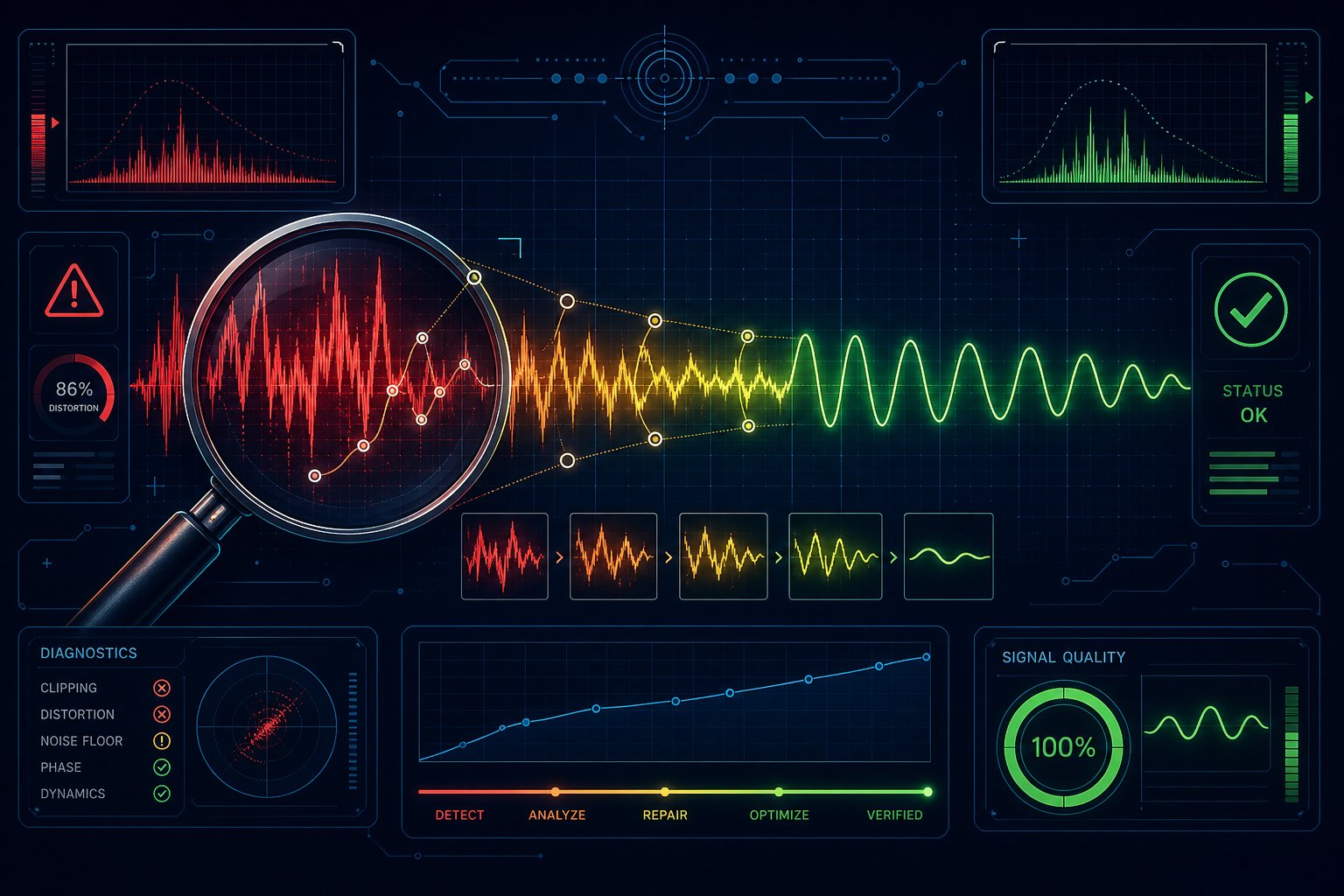
Troubleshooting Common Issues When Creating Music with Artificial Intelligence
Something is off here. Perhaps the track turned out too muddy and compressed, or the AI system produced a country ballad instead of ambient electronic music. Maybe the entire piece just endlessly repeats in a loop, not progressing toward anything specific. These issues are not just random failures. They have specific causes, and once you understand what triggers them, the correction methods turn out to be surprisingly simple.
Most beginners think the tool is malfunctioning when they get an incorrect result. In reality, the problem almost always lies in the phrasing of the prompt, the chosen genre, or the way the model interprets contradictory instructions. Below are ways to diagnose and fix the three most common failures.
Fixing Low Quality or Muddy Sound Issues
If your generated composition sounds like all elements are fighting for space in the same frequency range, the problem usually lies in overloading the model. You likely requested too many instruments, layered too many genre characteristics, or chose a style for which the model was not well enough trained. According to Soundverse research on AI-generated music quality, sound synthesis issues occur when models try to reproduce too many timbres simultaneously, resulting in metallic or strained textures that blend into a single, muddy sound.
The solution is subtraction, not addition.
- Simplify the instrumental lineup — limit yourself to three or four main instruments. A combination of "piano, soft drums, and bass" will yield a cleaner sound than listing "piano, guitar, strings, synth pad, bass, drums, and percussion."
- Prefer popular genres — pop, electronic, lo-fi, cinematic orchestral, and rock work well for all major models. Niche directions (such as Balkan brass music or Tuvan throat singing) have less training data, so the result quality will be lower.
- Avoid contradictory sound characteristics — a prompt like "warm analog" and "crisp digital" simultaneously confuses the model. Choose one sound aesthetic and stick to it.
- Use different tools for different styles — there is no universal generator that handles everything perfectly. If one platform produces unclear jazz but high-quality electronic music, use it for electronic music and choose another tool for jazz. An approach typical of genre search helps here: precisely define the desired style, then select the tool that works best with it.
If you have already created a track that sounds compressed or flat, the issue may be related to export quality. Some free plans export files in MP3 format at 128 kbps bitrate—this leads to loss of high-frequency details and makes the sound slightly musty. Before blaming the generation process itself, ensure that a higher audio quality export option is available.
Choosing the Wrong Genre or Mood
You requested "calming atmospheric music," but got a sound resembling a boss battle in a video game. Why did this happen? Artificial intelligence models interpret descriptive phrases probabilistically, and ambiguous terms correspond to a wide range of possible outcomes. The word "calming" alone can mean lo-fi hip-hop, ambient drone, soft jazz, or acoustic folk—it all depends on what context the model picks up from your prompt.
The solution lies in ensuring accuracy by using reference descriptive features. Instead of relying solely on an adjective term, you should describe in detail the characteristic features of the genre you want to use.
- Instead of "hill music," try slow ambient electronics with smooth background sounds, no percussion instruments, abundant reverb, and a tempo of 65 beats per minute (BPM).
- Instead of "energetic rock," try using the phrasing: "dynamic indie rock with distorted guitars, a clear bass drum, and a tempo of 135 beats per minute in E major."
- Instead of the phrase "joyful background," use a description like: "uplifting acoustic pop, bright chordal zithers, major key, 110 beats per minute, light and airy sound."
Think of this as applying music genre search logic to your creative process. Before crafting your prompt, ask yourself: how does this genre actually sound—in terms of tempo, instruments used, key, and sound engineering style? If you cannot clearly describe these characteristics, use an online music identification tool to analyze a reference track you like. Specialized services such as Musicstax or Tunebat can use AI to determine track parameters such as BPM (beats per minute), key, and energy level. Include these specific values in your prompt instead of relying on subjective emotional descriptions.
Another common cause of music genre mismatch is contradictory characteristics embedded in the prompt. For example, if you write "relaxing lo-fi with a bright drop," the model will be forced to choose between two incompatible directions. Usually, it chooses one and ignores the other, and in the worst case, generates an incoherent hybrid. Ensure consistency in emotional descriptions. Songs close to your request usually have a unified emotional tone throughout, and your prompt should reflect this consistency.
Dealing with repetitive or unstructured tracks
This is the most frequent complaint about AI-generated music: the track starts an infinite loop and never moves forward. It invariably repeats the same eight bars without development, harmonic resolution, or the introduction of new musical elements. As a result, the sound is static and obviously machine-like.
The main reason is that many AI models default to generating music in a looped repetition format unless you specifically specify a requirement for structural development of the composition. Research on prompts conducted by the MusicSmith team confirms: the presence of structure instructions in the prompt directly influences whether the model creates a dynamic arrangement or a monotonous loop. Without such instructions, the system chooses the path of least resistance—repetition.
Add structured language to your prompts to ensure their consistent development.
- Starts with a light, minimalist intro and gradually builds musical density, reaching full sound by 30 seconds.
- "Verse-chorus-verse" structure with a bridge before the final verse.
- Gradual increase in intensity—from a quiet start to a dramatic climax.
- 8-bar intro, 16-bar main section, 8-bar breakdown, and return to full energy.
- Build-up and decrease in intensity at the one-minute mark
If you are creating short tracks (less than 60 seconds), avoiding repetitions becomes more difficult because the model has less time to develop musical ideas. In this case, it is recommended to define clear energy dynamics throughout the short track in advance: "soft 15-second intro fragment, gradually building up to full energy by the 20th second and maintaining it until the end."
If the track still turns out flat despite all structural recommendations, use this troubleshooting scheme:
- Identify the specific problem —is the track looping on the same phrase? Are transitions missing? Does the peak occur too early, and then the track freezes? Specify the exact problem before changing anything.
- Change one structural element in your prompt —add a build instruction, specify a section change by timestamp, or request a dynamic arc (crescendo, decrescendo, build-up and fade).
- Regenerate and compare directly —listen to the new result immediately alongside the previous version. Did the structural change improve the progression or create another problem?
- If two attempts fail, completely change your approach —switch to another genre that naturally has more structural movement (electronic music with drops, orchestral music with dynamic build-ups), or try another tool that handles arrangement better. Some generators simply handle long structures better than others.
A similar approach to song search can also be useful in this case. If you have a reference track with the desired structure, specify this structure explicitly in the prompt rather than relying on the AI to determine it solely by genre. A phrase like "structure like a pop song: clearly defined verses, pre-chorus, chorus, and bridge" provides the model with a clear architectural blueprint to follow.
Most issues that arise during text generation boil down to the same fundamental principle: the artificial intelligence system performs exactly what it is told—but interprets it through the lens of statistical probability. Vague instructions lead to standard, templated results; contradictory ones lead to inconsistent and illogical responses; overly complex ones lead to confusing and unclear outcomes. The solution is always the same: formulate your instructions clearly, specifically, and consistently. If you treat your request not as a wish but as a clear creative instruction, the quality gap between AI-generated music and professional music narrows significantly.