

Yes, AI Can Mix and Master Music — But Here’s What That Actually Means
A Quick Answer for Musicians and Producers
If you’re wondering whether AI can handle the mixing and mastering process for your tracks, the answer is yes. There are now many tools that use machine learning to analyze your audio, apply corrective processing, and deliver polished results in minutes rather than days. Some operate as fully automated online services where you upload a file and download the finished product. Others integrate into your DAW as AI-powered plugins, offering processing suggestions while maintaining creative control. A third category combines both approaches in hybrid platforms.
However, the “yes” comes with context. AI-based mixing and mastering tools can deliver release-worthy results for many projects, especially if the source material is well-prepared. They increasingly handle loudness optimization, frequency balance, dynamic control, and stereo enhancement with growing sophistication. However, they are not always able to interpret artistic intent, adapt to unconventional arrangements, or make the subjective decisions that an experienced sound engineer makes instinctively. Think of them more as highly skilled assistants rather than complete replacements.
Artificial intelligence can bring your music to 80–90% of professional mastering quality quickly and affordably. The remaining part of the process depends on the complexity of the material, the quality of the original mix, and whether your project requires subtle adjustments that only human ears can make.
How AI Audio Processing Has Evolved
The history of using artificial intelligence in audio processing dates back to around 2014, when LANDR launched the first widely available AI-based mastering platform. At the time, the concept seemed almost futuristic: could an algorithm really master a song? Early results were promising but not yet impressive. The system was trained on thousands of professionally mastered tracks, analyzing frequency balance, dynamic range, loudness levels, and stereo width to automatically perform corrective processing.
Since then, the mastering field has expanded significantly. What started exclusively as mastering services has evolved into a broader ecosystem. Modern platforms like Cryo Mix and RoEx now offer full multitrack AI mixing based on individual stems, rather than just enhancing stereo files. DAW-integrated tools — such as iZotope Ozone and Sonible’s suite of intelligent solutions — allow you to receive AI-based recommendations directly within your recording and editing workflow. Today’s best audio mixing plugins combine machine learning analysis with direct parameter control, providing an initial AI mix setting that you can adapt to your preferences.
The audio mixing category has reached a new level of maturity through specialization. Some services focus entirely on speed and simplicity, providing automatic mastering without user intervention. Others emphasize depth of customization: they offer over 30 adjustable parameters, reference track selection, and conversational AI chatbots capable of interpreting natural language and automatically making adjustments to audio processing. Whether you need a quick finish for a demo track or a release-ready mixing and mastering process, there is likely a tool perfectly suited to your situation.
Understanding the specific function each type of tool performs and its limitations is key to choosing the right approach for your music. The technology itself is genuinely useful, but only if you select the tool that matches your specific task.
How AI-Based Mixing and Mastering Technology Actually Works
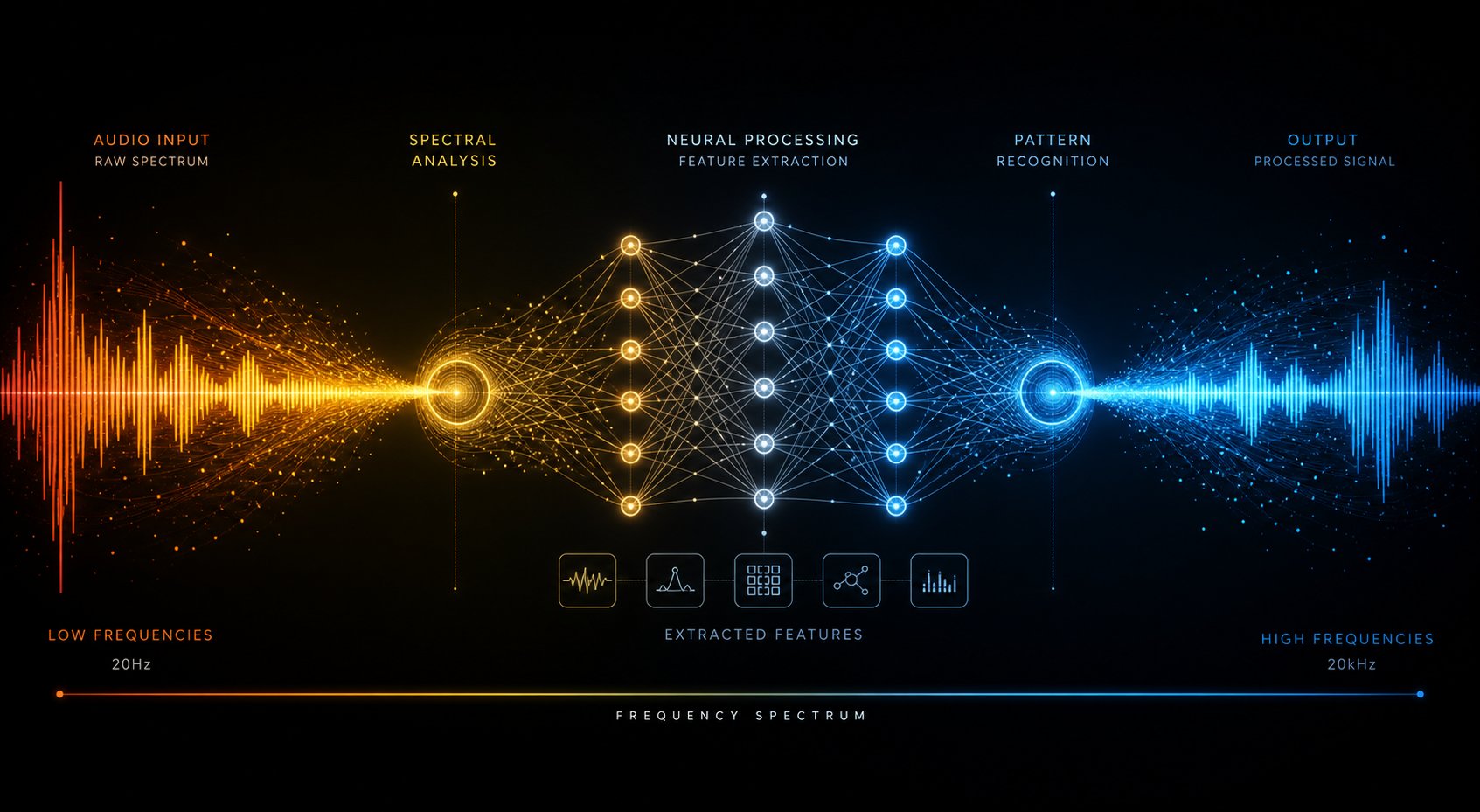
Knowing that AI-based audio mixing tools exist is one thing. Understanding what actually happens between the moment you upload a file and the moment you receive a polished master is quite another. The good news is that you don't need a degree in computer science to understand the key concepts. Essentially, any AI-based audio mastering software follows the same basic logic: listen, compare, adjust.
Machine Learning Trained on Professional Master Data
Imagine feeding an algorithm tens of thousands of music tracks—commercially released, professionally mastered songs across all genres. Over time, the algorithm learns to recognize certain patterns: it identifies that pop hits usually feature a specific loudness profile, a certain level of low-frequency energy, and predictable stereo width in the high frequencies. Jazz masters look different, and hip-hop sounds distinct. Each musical genre has its own unique acoustic fingerprint.
This training process is how the mastering system learns to recognize what constitutes "good" sound. Neural networks analyze the spectral and dynamic characteristics of reference materials, forming internal models of quality criteria. When you upload your composition, the system compares your audio file against these learned profiles and identifies deviations. Excessive energy at 300 Hz? The artificial intelligence highlights this issue. Insufficient brightness in the 3–5 kHz range? That is also detected. Artificial intelligence does not make assumptions—it analyzes data objectively. The system measures parameters, relies on data from thousands of real reference samples, and applies adjustments based on them.
Explaining Spectral Analysis and Dynamic Processing
Once your file enters the processing module, the first stage is analysis. The system breaks down the audio signal into frequency components using spectral analysis—essentially viewing your song as a detailed map of energy distribution across the entire audible frequency spectrum. It then analyzes how sound intensity is distributed from sub-bass to the highest harmonics, identifying areas of buildup, gaps, and imbalances.
At the same time, the artificial intelligence system analyzes dynamic characteristics: how loud is the loudest moment compared to the quietest? How well is transient punch preserved in percussion instruments? Does the overall dynamic range suit your musical genre? Additionally, the system evaluates stereo image width, phase correlation, and the ratio of peak levels to average loudness. All of this happens within seconds.
Based on this analysis, the system creates an individual processing chain. A typical AI-based automatic mixing system or mastering service applies mastering EQ curves to correct tonal balance, compression to control dynamics, stereo enhancement to widen or narrow the stereo image, and limiting to achieve competitive loudness levels without distortion (clipping). Each of these decisions is based on what the model learned during training, rather than static presets.
Reference-Based Matching and How AI Learns to Assess Quality
Some platforms go even further by implementing reference-based matching algorithms. iZotope's Ozone, for example, offers a feature that allows you to upload a reference track and use the Master Assistant tool to analyze its EQ curve and loudness level, after which it automatically applies these parameters to your audio file. Here, artificial intelligence doesn't just compare your track to some universal standard—it precisely replicates the specific audio profile you selected.
This approach also works effectively for mixing. Modern AI mixing tools, capable of processing up to 50 stems, making mix adjustments, and participating in music production within a single AI workflow, use AI-based stem analysis to balance levels, apply panning, and assign effects depending on the type of each element—vocals, bass drum, snare, synth pad, and others. The system recognizes the functional role of each instrument and processes it accordingly.
Here is a typical processing chain—from start to finish:
- You upload a stereo mix or individual music tracks to the platform.
- The artificial intelligence system analyzes frequency balance, dynamics, loudness, stereo width, and phase correlation.
- It determines your genre or audio profile—either automatically or based on your preferences.
- Individual signal processing is created, including mastering—equalization (EQ), dynamic compression, stereo enhancement, and limiting.
- The system applies corrective and creative processing to meet target metrics.
- You are provided with a processed file for previewing, with the ability to adjust brightness or style before final export.
Typically, the entire mastering process takes less than a minute. Stem-based mixing requires more time due to the increased complexity of balancing multiple tracks, however, even this stage has been reduced from several hours to several minutes on most modern platforms.
Of course, explaining the working principle only partially reveals the essence of the matter. A more pressing question is what exactly each type of AI tool does with your audio recording and why the distinction between mixing and mastering matters more than most music producers realize.
AI Mixing vs. AI Mastering: Why the Difference Between Them Matters
This is where many producers get lost. The phrase “mix and master” sounds like a single entity, but in reality, these are two completely different processes—with different inputs, different goals, and a completely different level of complexity for AI processing. Most AI services available on the market handle only the mastering stage. Understanding the reasons for this gap will help you set the right expectations for your project.
What AI Mastering Technology Does with Your Stereo Mix
The Mastering system works with a finished stereo mix—a single audio file in two-channel format. The artificial intelligence receives the track you provide and performs final processing: equalization correction to ensure tonal balance across various playback systems, compression to strengthen the integrity of the sound image, stereo imaging to improve spatiality, and limiting to increase loudness levels to streaming platform standards. As iZotope describes this solution. Mastering is the last line of defense before your music goes out into the world: it ensures that the track will sound equally good on headphones, car and mobile speakers, as well as club systems.
Think of it as polishing an already finished photograph: the composition is already finalized. AI Mastering can only enhance brightness, improve sharpness, and optimize existing elements, but it cannot rearrange their placement within the frame. If the vocals sound suppressed or the bass and drums conflict with each other, no processing of the stereo file will solve these problems—it will only make them louder.
What an AI-Based Mixing System Does with Individual Audio Tracks
Audio mixing represents a completely different type of task. Instead of a single stereo file, the artificial intelligence system receives individual music tracks—drums, bass, vocals, guitars, synthesizers, and sometimes up to 20–30 independent tracks. The system then makes contextual decisions about how these elements interact: how loud should the vocals be compared to the rhythm? Where in the stereo space should each instrument be placed? Which frequencies need to be emphasized in the guitar so that the vocals stand out clearly against the background?
AI-based music mixing platforms simultaneously analyze the spectral composition and dynamics of all your music tracks, then apply individual equalization (EQ), compression, level balancing, panning, and spatial effects to each track. The goal is to create a unified master mix where each element clearly occupies its place in the sound space. Some services, such as Automix by RoEx, even allow you to export the processed session back to your DAW for further adjustment, thereby providing professional starting material rather than a finished final product.
Modern platforms are also equipped with structural element regeneration features, allowing AI to extract or restore individual components from a mixed file before their subsequent redistribution. This increases system flexibility, but entails certain compromises in quality, depending on the complexity of the source material.
Why AI mastering is a more mature technology than AI mixing
AI-based mastering technologies have been commercially available since 2014, however, AI mastering based on individual music tracks (stems) remains a relatively new technology. The main reason for this is the difference in the number of audio tracks.
Mastering poses a clearly defined question: “How to make this single stereo file louder and more balanced?” The source material is fixed, the result is predictable, and processing decisions are relatively linear. Artificial intelligence handles this task effectively because the optimization problem has clear boundaries.
In contrast, mixing poses an open-ended question: “How should these 15–30 individual elements relate to each other?”. As RoEx explains, this is the difference between editing a photograph and creating it entirely from scratch. How the kick drum and bass guitar share the low frequencies, how the vocals should sit above a rich synth background without drowning out the guitar, and how a quiet chorus requires a completely different sonic approach compared to a loud verse — all these decisions are contextual and interconnected, multiplying exponentially with each added audio track.
| Size | Digital Mixing | AI for Mastering |
|---|---|---|
| Input Format | Individual stems (up to 32 tracks inclusive) | Single stereo mix |
| Processing Complexity | High level — these are decisions affecting interactions between various work streams. | Lower level — optimization for a single stream |
| Current Reliability | Good starting point; however, manual refinement is often required. | Consistently demonstrates high stability when using carefully selected mixes. |
| Maturity | Newer solutions that have become the industry standard since 2022. | Operating since 2014. |
| Typical Use Cases | Producers for home studios, demo refinement, quick rough editing | Release preparation, loudness optimization, distribution readiness |
| Processed Variables | Volume levels, panning, individual equalization for each instrument, dynamic compression, reverb, spatial effects | Global EQ balancing, dynamic compression, limiting, stereo width adjustment, and volume regulation |
Practical conclusion: if you already have a balanced stereo mix that suits you perfectly, then AI mastering is a reliable and time-tested option. If, however, you are working with raw individual tracks and need help blending them harmoniously into a unified whole, AI mixing tools can achieve impressive results — but expect the need to listen to the final product and make adjustments. Both technologies are rapidly evolving, but they address different tasks at different stages of the recording process.
Once this difference becomes obvious, the next question arises: which specific tools fall into each category and what trade-offs need to be considered when choosing a fully automated service versus an AI-supported plugin that you can control directly within your DAW.
Fully Automated Services vs. AI-Supported Plugins
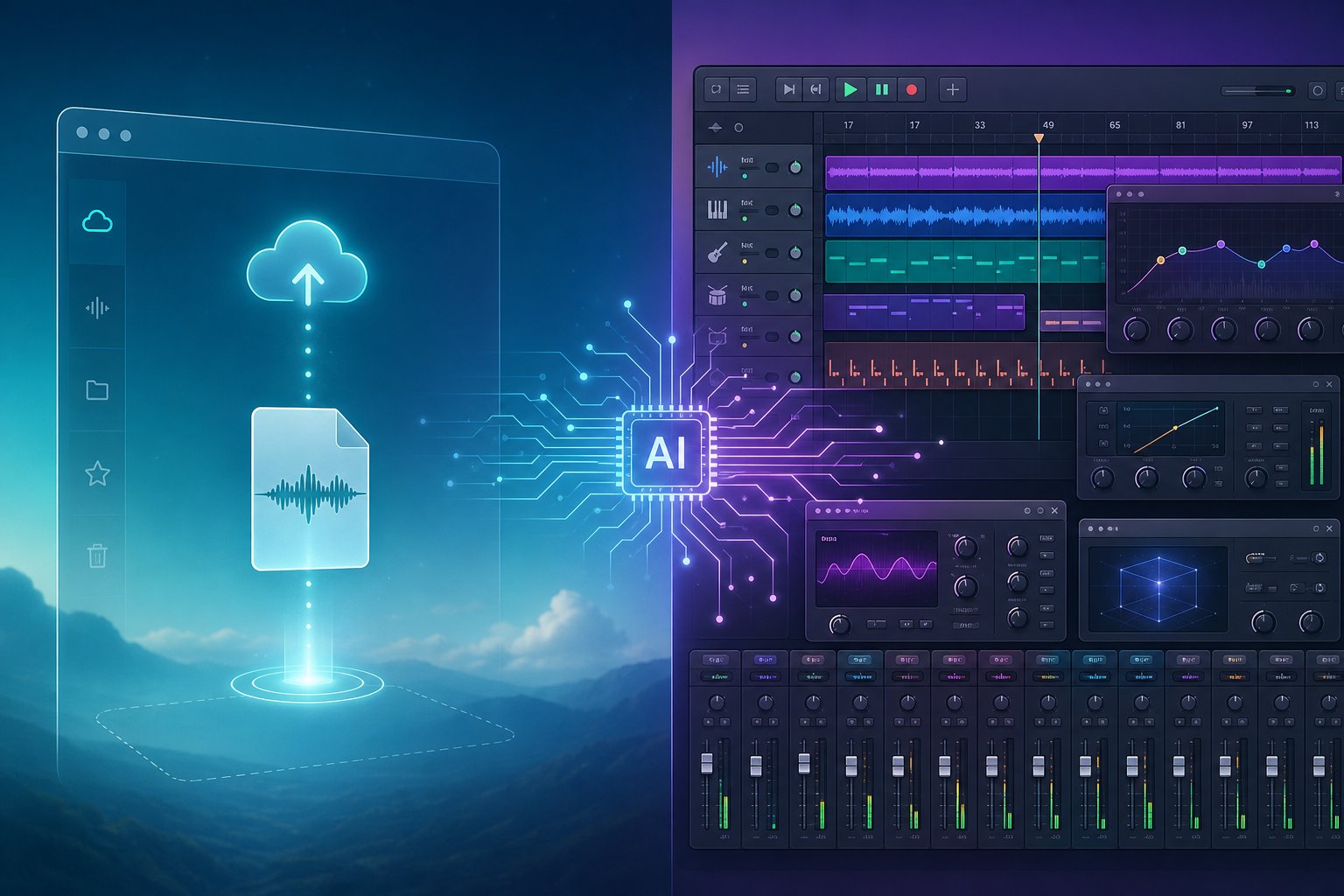
Not all AI-based audio processing tools work the same way or require the same level of user involvement. Some require just an uploaded file and a single mouse click. Others are integrated directly into your workflow environment and await your commands. A third category occupies an intermediate position between them, combining cloud data processing with customizable parameters. Your ideal choice depends on how much you want to retain creative control over the project, how deep your knowledge in sound engineering is, and whether speed or precision is more important for the current project.
The modern ecosystem of AI-powered mastering and mixing software is clearly divided into three categories, each with its own strengths and specific limitations.
Fully Automated Online Mastering Services
This is the easiest way to get started. You upload a stereo mix to a web platform, select a style or genre setting, and the system returns a mastered version of the file within minutes. No DAW is required—no plugin installation or specialized technical knowledge. The entire process is performed on remote servers using trained machine learning models.
The advantages are obvious: speed and accessibility. A home producer who finishes a beat at 2 AM can have a release-ready master copy by bedtime. However, the compromise is equally evident: you lose fine-grained control over the audio signal. If the algorithm makes a decision you disagree with—for example, excessive low-end compression or an overly bright high end—you have only one option: adjust general parameters such as "intensity" or "warmth" and reprocess the audio.
- LANDR — A veteran in cloud-based AI audio processing, actively operating since 2014. It offers preset processing styles (warm, balanced, open) and adjustable intensity levels. Content delivery to all popular streaming platforms is included in a single subscription, making the service a true "one-stop shop" for independent artists who regularly release new tracks. Landr mastering plugin Integration also provides support for connecting to certain DAW systems, although the main application remains cloud-based.
- eMastered — Co-founded by Grammy-winning engineer Joe Chiccarelli. The product stands out from competitors thanks to customizable presets based on sonic character and the ability to upload reference tracks. The system adjusts parameters such as LUFS level, maximum true peak, spectral balance, and stereo width based on the selected reference track, making results more personalized compared to typical loudness optimization.
- CloudBounce — Pay-per-track mastering. No long-term subscription is required—ideal for producers who need mastering only occasionally. Genre-specific settings are carefully tailored for hip-hop, electronic dance music (EDM), and rock. Pricing starts at approximately $4 per mastered track.
- RoEx — Combines AI-based mastering technologies and its Automix automatic mixing system under a single subscription. If you use their stem-based mixing service, the mastering stage receives additional information about how the mix was created. Pricing starts at approximately $10 per month.
- BandLab Mastering — The most reliable free option currently available: no watermarks, upload limits, or subscription requirements. While the quality lags behind paid alternatives, it is truly a valuable solution for demos, preliminary sketches, and early-stage work—and it is completely free.
Fully automated services work most effectively when the source material already has a clean and balanced composition, and only a quick, inexpensive final processing step is required. However, they struggle if the source material contains serious defects requiring precise correction, as the algorithm tends to exacerbate these issues rather than eliminate them.
AI-Powered Plugins for Your DAW
In this category, your relationship with AI changes. Instead of sending your file to a third-party service, you load audio mastering plugins directly onto your master bus or individual channels. The AI analyzes your sound and suggests a starting point—a full processing chain, EQ curves, compressor settings, limiter thresholds—but you retain control over every parameter. You can accept the suggestion, modify it, or override it completely.
The learning curve here is even steeper. You will need a functional DAW, basic knowledge of signal flow, and sufficient critical listening skills to evaluate whether the AI's recommendations truly suit your composition. However, the reward is high precision. You can compare different settings in real-time A/B mode, adjust specific EQ bands without reprocessing the entire file, and make iterative changes within your working environment without interrupting your workflow to upload files to a browser.
- iZotope Ozone 12 — The mastering standard in the DAW environment. The Master Assistant tool analyzes your mix, identifies the music genre, and suggests complete signal processing using equalization, dynamics, spatial processing, exciter, and maximizer modules. The Advanced version adds Master Rebalance, Spectral Shaper, and Stabilizer for precise matching to a target frequency curve. The standard version costs around $249 USD, while the advanced version costs around $499 USD.
- iZotope Neutron 5 — A mixing function paired with Ozone. Its Mix Assistant tool analyzes relationships between tracks and recommends optimal gain staging and panning settings. It includes an AI equalizer, compressor, transient shaping module, and a visual mixer to identify frequency conflicts in your session. It works as an intelligent inline equalizer integrated directly into the channel strip.
- Sonible smart:bundle 3 — A spectral-dynamic compressor that applies gain reduction not to the entire signal as a whole, but to more than 2000 frequency bands. It provides significantly more transparent compression when processing dense audio material compared to broadband processing.
- Sonible smart:limit — An intelligent limiter with a "wall" function and preset Character profiles (Transparent, Balanced, Loud), built-in loudness targets for streaming, and delta monitoring capability—allowing you to hear exactly which audio components the limiter is removing. One of the most transparent limiters available for mastering.
- Sonible true:balance — An AI-based tonal balance meter that visualizes deviations from typical audio genre standards and helps make corrective EQ adjustments. The device works in addition to your existing signal processing, rather than replacing it.
- Mixing Mastery (Reference 4, Levels, Expose 2) — Decision support tools, not just processors. The REFERENCE 4 system is designed for A/B format comparisons at matched loudness levels against commercial master discs. The LEVELS module provides comprehensive audio parameter measurement. EXPOSE 2 audits the master disc for distortion, clipping, and compliance with streaming service requirements.
Audio mixing software integrated into a DAW is a more preferred choice for producers and sound engineers who want to gradually master new skills, refine their craft, and develop their critical listening. Artificial intelligence accelerates the workflow without taking away your control over the creative process.
Hybrid platforms combining automation and control systems
An increasing number of third-category services strive to combine the convenience of cloud-based processing with a higher level of user control compared to typical one-click services. These platforms process audio data on the server side but provide the ability for meaningful parameter customization, style selection, and, in some cases, real-time preview before final processing.
- Waves Online Mastering — based on Waves' years of experience in professional audio processing and recommendations from mastering engineers. You upload a pre-master, and the service generates several style and timbre options for your track. You can listen to different combinations and adjust the sound character before downloading. It bridges the gap between the speed of full automation and the ability to control the output sound direction. Prices start at $2.99 per track.
- MixingGPT — A conversational AI mastering advisor that loads into your DAW as a VST3, AU, or AAX plugin. Instead of directly processing audio, it analyzes your master bus and provides specific parameter recommendations: target frequencies, compressor settings, limiter thresholds. You apply changes manually, retaining full control while receiving expert-level recommendations. A free tier is available, with paid plans starting at $9 per month.
Hybrid platforms are ideal for sound engineers who find fully automated results too generic but do not yet have enough confidence or technical knowledge to independently create a mastering chain from scratch using professional mastering software. These platforms offer a compromise solution: artificial intelligence handles the complex analytical work, while you make the final decisions on sound quality.
The choice between these three categories essentially depends on two key factors: the degree of control you wish to maintain and your level of expertise in audio engineering. Beginners releasing demos benefit most from the simplicity of automated services. Intermediate producers develop faster using mastering tools integrated into their DAW, which educate users through recommendation prompts. Experienced engineers generally prefer hybrid or plugin-based workflows, where AI accelerates analysis without overshadowing their professional judgment.
The tools themselves vary significantly in price, supported formats, and strengths across different genres, raising the next practical question: which specific services offer the best value for money at each price point, and what can realistically be expected from free plans compared to paid ones?
Comparison of Leading AI-Based Mixing and Mastering Services
Amidst the multitude of platforms competing for your attention, choosing the right service often comes down to practical aspects: how much it costs, which formats it supports, which genres it handles most effectively, and whether it covers sound engineering (mixing), mastering, or both processes simultaneously. Below is a structured breakdown designed to help you select a service that matches your specific workflow, budget, and release goals.
Feature Overview and Pricing Structure of Leading AI Services
Each platform occupies its own unique niche. Some emphasize speed and ease of use, while others focus on parameter customization or ecosystem features, such as integration with content distribution systems. Below is a comparison table presenting key differences in parallel columns to help you quickly determine which characteristics are most important for your specific situation.
| Solution | Mixing and Mastering | Per Track | Subscription | Supported Formats | Genre Strengths | Key Competitive Advantage Factor |
|---|---|---|---|---|---|---|
| SongAI | Mastering | Free plan available. | Paid plans available | WAV, MP3, AIFF | Pop, Hip-Hop, Electronic, R&B | Focus on quick production quality adjustment and release preparation |
| LANDR | Mastering | ~$4–9 | $12.99–$24.99/mo | WAV, MP3, AIFF, FLAC | Pop, Electronic, Commercial Hip-Hop | Comprehensive ecosystem with distribution, sample, and plugin features |
| eMastered | Mastering | ~$9 | ~$15–$49.99/mo | WAV, MP3, AIFF | R&B, Soul, Acoustic, Singer-Songwriter | Manual post-processing settings and reference matching |
| RoEx Automix | Both (up to 32 stems) | Pay-as-you-go credits | $9.99/mo | WAV, FLAC | Wide genre coverage | Full multi-track mixing with project export to DAW |
| CloudBounce | Mastering | ~$4–5 | $9–15/mo | WAV, MP3 | Electronic, Hip-Hop, Trap | Lowest cost per track and fast processing |
| BandLab Mastering | Mastering | Free | Free (membership for additional features) | WAV, MP3 | General – preset-based | Completely free and integrated with BandLab DAW. |
| Cryo Mix | Both (up to 32 stems) | N/A | ~£12–18/mo | WAV, MP3 | Rap – vocal-focused genre | Specifically designed for vocals-over-beat workflows. |
Several points stand out from this comparison. If your main goal is to quickly polish music tracks for publication on streaming services, SongAI's AI-based mastering system is designed specifically around this workflow—it allows you to adjust production quality and prepare files for distribution without requiring knowledge of complex processing chains. This is an excellent starting point for producers who want professional results but do not want to spend time tweaking parameters or commit to expensive monthly subscriptions before knowing exactly what they need.
For professionals engaged in mastering local music recordings, the main advantage of this platform in 2026 will be not only its mastering engine, but also the entire accompanying ecosystem package. Access to more than 150 streaming platforms, a built-in library of sound samples, and a plugin marketplace mean that you get something more than just audio processing tools. This is especially important for those who regularly release music and strive for centralized management of all their content. If your top priority is solely mastering quality, the eMastered service (sometimes search engine users mistakenly write emasterd) has established itself as a solution that delivers a warmer and more natural sound, especially when processing dynamic audio materials where hard limiting can do more harm than good.
Producers looking for platforms like Mixea Mastering, Aria Mastering, or Mastering Box will find that the proven services mentioned above cover the same service area and have more documented track records. The AI-based mastering field regularly attracts new participants, however, with high requirements for release quality, the longevity of the service and the stability of its results are particularly important. A platform like MasteringBox offers simple online processing, although its price is close to CloudBounce and it covers a similar niche.
Free Plans vs. Paid: What You Actually Get
There are free options, but they come with real limitations. The BandLab Mastering service provides free processing based on preset settings — it is suitable for demos and initial reference files, but cannot compete with paid services in terms of parameters such as loudness level, sound clarity, or adaptation to various playback systems. Most other platforms offer free previews — you can listen to how the AI will process your track, but downloading the master copy in full resolution requires payment.
Here is what you can generally expect at each price level:
- Free ($0): Basic mastering presets, lower resolution files, watermarks, or access to previews only. Ideal for evaluating service quality or refining demo materials. This category includes BandLab, as well as limited free passes on platforms like RoEx and SongAI.
- Budget ($4 to $10 per track): Full-resolution WAV output, genre-aware processing, and basic style settings. The basic tiers of CloudBounce and LANDR services deliver reliable results when processing simple mixes. The sound quality at this level competes directly with the work of mid-tier professional sound engineers, provided the source audio materials are of high quality. Comparative data from Chartlex this study confirms this observation, particularly for pop, electronic, and hip-hop genres.
- Mid-tier plan (monthly subscription — $10 to $30): Unlimited or high-volume processing, reference track matching, customizable parameters, and, in some cases, stem-level processing. This is where services like SongAI, LANDR Pro, and RoEx Automix Pro operate. You get enough flexibility to fine-tune the result without needing deep technical knowledge of sound engineering.
- Premium tier ($30 to $60 per month): Maximum control, high-resolution output, and advanced features — such as stem mastering and detailed audio reports. This niche is occupied by the professional level of the eMastered service and some mastering plugin subscriptions from Waves. Such solutions are justified for artists releasing projects where the quality of each track justifies the cost.
The honest truth about online music master tracks: the gap between a $5 AI master and a $150 human master has narrowed significantly for releases initially published exclusively on streaming services. Orphiq service analysis This can be put simply: a product that is just "good enough" and costs $10 outperforms a "perfect" product costing $150 if you release 12 singles a year. The calculations differ when releasing albums with high commercial stakes or when creating vinyl master copies, but for a typical independent artist regularly publishing music on Spotify and Apple Music, mastering using basic AI technologies provides truly commercially acceptable sound quality.
Ultimately, it is not the price you pay that determines the quality of the result—the key factor is the quality of the mix you upload. A clean, well-balanced source file with sufficient headroom will yield a high-quality master on virtually any of the listed services. Conversely, a messy mix with distortion from clipping or phase synchronization issues will sound just as poor as its idealized version with the same problems—regardless of which algorithm is used to process it.
This dependence on source data quality raises a practical question: how does the effectiveness of artificial intelligence systems actually vary when processing different content genres, and in which aspects do algorithms still lag behind human hearing capabilities?

Genre-Specific Characteristics in Musical Performances and Areas Where Artificial Intelligence Still Struggles
The quality of a track processed using AI largely depends on the genre of music you are creating. These systems are trained on datasets of professionally mastered recordings, and some musical genres are represented much better than others in these training materials. As a result, mainstream musical directions yield predictable and polished results, whereas works that fall outside traditional conventions produce inconsistent results or sound flat and generic.
Genres Where Artificial Intelligence Is Particularly Effective in Mixing and Mastering
Artificial intelligence works particularly well with repetitive patterns, rhythmic sequences, and predictable acoustic sound profiles. Music genres based on quantized rhythms, synthetic timbral qualities, and stable volume levels are ideal for algorithms—they provide everything needed to achieve high-quality results. Electronic music, in particular, aligns perfectly with how AI processes audio: its components are modular, digitally synthesized, and follow mathematical structures that seamlessly integrate with machine learning models.
- EDM / Electronic Format: Excellent results. Frequency distribution, quantized transients, and synthetic sound sources align almost perfectly with the training data. The most reliable application of artificial intelligence is observed when mastering tracks in house, techno, and drum and bass genres.
- Pop Music: High-quality results: clearly defined vocal-forward structures with consistent and coherent instrumentation. The artificial intelligence system confidently adjusts the standard loudness curve of pop music and shapes the stereo image.
- Hip-Hop / Rap: Quality ranges from satisfactory to high, especially when creating trap and modern AI rap tracks with dominant 808 beats. The "vocals over beats" format provides the algorithm with a clear hierarchy for processing. EQ adjustment for instrumental rap beats is a simple task for AI due to the stable spectral structure of the sound.
- Lo-Fi / Ambient: Good results. Minimal dynamic fluctuations and low frequency requirements make these genres particularly suitable for automated processing.
- Singer-Songwriter (Minimal Arrangement): The sound remains stable with clean recordings. Simple arrangements featuring vocals and an acoustic guitar allow the artificial intelligence system to process fewer conflicting sound components.
Genres That Still Pose Challenges for AI Processing
When music intentionally breaks musical rules, relies on dynamic contrasts, or combines elements from various musical traditions, artificial intelligence experiences significant difficulties. The main issue is that, as Sonarworks notes, the key point is that artificial intelligence remains dependent on the data used for its training. Niche, experimental, or hybrid styles that were underrepresented in the training data during development lead to unpredictable results.
- Jazz: Problematic. The wide dynamic range, improvisation, and subtle background microphone noise make it difficult for algorithms designed for stable loudness profiles to work effectively. The microtonal expressiveness of wind instruments and the upright bass is lost.
- Classical Music / Orchestral Works: Low-quality processing by AI. The extreme dynamic range plays a key role in shaping the emotional arc of the composition; however, artificial intelligence systems tend to compress it toward a target loudness level, which undermines the very essence of the genre and destroys its characteristic audio quality.
- Progressive / Layered Rock: Presents inconsistent sonic material: dense layers of guitar parts, frequent tempo changes, and unconventional song structures make it difficult for AI to handle frequency distribution and dynamic sound processing tasks.
- Fusion / Genre Blending: Unreliable. When your track intertwines Afro-house basslines with cinematic strings and hyperpop-style vibratos, the algorithm lacks clear reference points and as a result produces an outcome that often sounds like a confused average of several different approaches.
- Blues / Folk (Expressive Style): Mixed results. Emotional rawness, microtonality, and intentionally preserved imperfections—these are the very traits characteristic of these musical styles that AI systems eliminate in their pursuit of a "correct" frequency balance.
Material with a focus on vocals in any genre brings its own peculiarities. If you are looking for the best audio mixer for vocals, keep in mind: artificial intelligence handles lead vocals quite well if they clearly stand out above the instrumental background, but it struggles with backing vocals, whispers, and intentional voice distortion—AI may perceive such elements as defects that need to be removed. Free vocal mixing tools will help you get started with simple vocal tracks, but for complex vocal processing, human judgment remains essential—to distinguish intentional artistic choices from issues that require correction.
Set realistic expectations for your musical style
The pattern is obvious: the more predictable and digitally native your material is, the more effectively AI works. The more dynamic, acoustic, or stylistically unconventional your music is, the higher the likelihood that human ears will be needed during the processing stage.
A practical way to look at it is this: if your track is suitable as source material for a remix—with clear separation of musical elements, stable dynamics, and a clear structure—AI will be able to process it without problems. However, if your music is based on emotional subtlety, intentional imperfection, or arrangements that change drastically from section to section, treat the AI's output as a starting point rather than a final product.
Typical performance metrics in this field define realistic expectations, but they are not the only criteria when choosing between using AI and working with a human engineer. Budget, project timelines, and the scale of responsibility for a specific release are equally important in this decision.
When to use AI and when to hire a human engineer
Budget, deadlines, genre complexity, and the scale of responsibility for a specific release—all of these influence one key question: should you entrust your track to an algorithm or hire a professional mastering engineer? There is no one-size-fits-all answer, but in certain cases, preference clearly leans toward one option. The main thing is to choose the tool that fits the specific situation, rather than sticking to the same approach for all projects.
When artificial intelligence is the ideal choice for your project
AI-based mastering and mixing services pay off in cases where speed, cost, or volume of work are more important than the need for individual creative decisions. Imagine you are releasing a beat tape with 15 instrumental tracks this quarter. If you hire a human mastering engineer at $75–$200 per track, the cost for professional mastering alone will range from $1,100 to $3,000. Meanwhile, a mid-priced AI mastering service will process the same amount of material for less than $50 in total and delivers results within hours, not weeks.
Here are the situations where the use of artificial intelligence appears most justified from a practical standpoint:
- Demonstration and reference master copies: You will need a professionally edited version for presentation to a record label, sending to project colleagues, or testing on various audio systems. This version does not necessarily have to be final—the main thing is that it is clear and loud enough to clearly convey your musical concept.
- High-volume releases: Beat producers, sync licensing authors, and musician content creators who release more than 10 tracks per month can take advantage of inexpensive bulk mastering processing without compromising sound quality and consistency.
- Very tight deadlines: A music playlist curator wants to receive your track by tomorrow. Processing a request by a human engineer usually takes 2 to 5 business days, whereas AI delivers results in just a few minutes.
- Budget-constrained projects: Independent artists who redistribute their income towards recording, promotion, or musical equipment can allocate the mastering budget to other areas without releasing unmastered audio recordings.
- Learning and iterative improvement: Novice producers can work with several versions of the same track, compare the results of different AI platforms, and develop their ear to learn to recognize how a "finished" product sounds—all without having to bear the costs for each session.
When to hire a lead sound engineer
An experienced mastering engineer possesses a quality that no algorithm can yet reproduce: artistic intuition formed by years of critical listening. Rob Kleiner from Edison Studio As noted, artificial intelligence is capable of applying algorithms, but only a human can truly understand and convey the emotional essence of your music. This difference is especially important in certain contexts.
You should turn to professional audio mastering in the following cases:
- This release carries significant commercial risks and potential. Lead singles, albums aimed at getting into editorial playlists, as well as tracks submitted for use in film and television soundtracks, require careful evaluation using a refined ear in a perfectly tuned acoustic environment.
- Your mix has problems that you cannot solve. A human-controlled specialist engineer acts as a final quality check—he identifies phase distortions, resonant frequencies, or subtle signal distortions that artificial intelligence systems cannot recognize and do not pay attention to.
- The genre requires lively and multifaceted detail. Jazz, classical, and experimental music particularly benefit from a sound engineer who understands that the main goal is not maximum loudness, but the key factor is dynamic range.
- You need collaborative feedback. A good audio engineer will definitely tell you if the mix needs to be reworked before mastering to make the process effective. Artificial intelligence, on the other hand, simply processes the material you upload.
- Physical formats are used in the process. Vinyl master discs and Dolby Atmos spatial audio require specialized knowledge and specialized listening conditions that none of the existing online services can currently provide adequately.
Want to know how much music engineers earn for such work? The cost of professional mastering usually ranges from $50 to $300 per track—depending on the engineer's reputation, studio quality, and the presence of revisions. Leading specialists with portfolios of work for major record labels may charge $500 or more per track. These figures reflect decades of auditory training, significant investments in equipment, and professional acoustic treatment of rooms—an audio engineer's salary directly depends on real mastery, which only deepens and improves over the years.
To better understand how much sound engineers earn on average per year, note that freelance mastering engineers in the US typically earn between $40,000 and $90,000 per year—depending on the volume of client work and their reputation, while staff engineers at major studios can earn more than $100,000 per year.
| Scenario | Recommended Approach | Why |
|---|---|---|
| Demo version or preliminary reference information | AI for mastering | Speed and cost are more important than perfection. |
| Beat pack (more than 10 tracks) | AI for mastering | Large data volumes make applying human processing speeds to individual tracks impractical. |
| Lead single for streaming release | Human engineer or hybrid | Participation in commercial projects justifies the investment. |
| Album intended for vinyl release | Human engineer | Mastering for physical format requires specialized monitoring. |
| Jazz or classical music recording | Human engineer | Dynamic nuances and sensitivity to genre features play a key role. |
| Submission deadline is 24 hours. | AI for mastering | No real turnaround time for a human fits within the given timeframe. |
| Known issues present in the signal: noise, phase distortions, and signal clipping. | Human engineer | AI is unable to diagnose and fix mix-level problems. |
| Producer learning the craft. | Automated mastering using AI (with A/B testing) | Low cost allows for experimentation and ear development. |
| Sync license catalog | AI for mastering | Consistency of quality with high production volumes and low costs. |
| Artist with a clear audio vision | Human engineer | Creative collaboration defines the final result. |
Ownership rights and data privacy issues
One question that repeatedly arises when producers evaluate any comprehensive AI-based services is the following: does the platform use my uploaded music to train its models? This concern is quite justified. If your unreleased composition is used as training data for an algorithm that then processes thousands of other songs, you are effectively handing over your intellectual property without compensation and without your consent.
In practice, the situation depends on the specific platform. Most established services—such as LANDR, eMastered, and CloudBounce—state in their terms of use that uploaded audio recordings are processed and returned to the user but are not used for model training. However, since the Orphiq Guide on AI-based copyright notes that the legal framework governing the use of data for training artificial intelligence systems remains unstable, and terms of use may change at any time.
Several practical steps to protect yourself:
- Carefully review the service's terms of use before uploading. Pay special attention to clauses regarding data storage, model training, and content licensing. Some platforms claim broad rights to use user-uploaded material.
- Check ownership provisions. The good news: AI mastering is considered a technical process rather than a creative one. Your copyright to the original musical composition and sound recording remains unchanged even after processing the material through an AI-based mastering service.
- Pay attention to opt-out mechanisms. Some platforms now offer specific settings to opt out of AI training. Use them if such an option is available.
- Keep your original files. Always save the original unedited file. The result of AI processing is derivative material—the original file (pre-master) remains the primary asset.
The issue of copyright in the context of mastering is resolved quite clearly: you wrote the song, recorded the performance, and then the algorithm applied equalization and compression. From a legal standpoint, this is no different from processing a track using hardware compressor. Your copyrights remain fully protected.
In practice, it is much more important how thoroughly you prepare the source material before uploading it—regardless of whether processing will be carried out by AI or humans. The quality of the source data determines the upper limit of the result's quality, and a few simple technical preparation steps can significantly affect how effectively any algorithm can process your audio file.
How to Prepare Your Audio Recordings for AI Processing
All AI-based mastering and mixing systems share one true rule: "garbage in, garbage out." The algorithm unconditionally processes everything you upload, including any existing issues. A properly prepared file provides the AI with a clean canvas to work on, whereas a file with clipping, phase distortions, or incorrect formatting seriously limits the capabilities of any system. These preparation steps take only a few minutes but can drastically improve processing results.
File Formats and Technical Requirements
What is WAV audio, and why do all artificial intelligence services prefer it? WAV is an uncompressed audio format that preserves the full resolution of the sound recording. Unlike MP3, which constantly removes frequency data to reduce file size, WAV delivers the complete audio signal waveform to the processing module. When AI analyzes spectral balance and dynamic range, it needs every unit of information captured in your recording session.
The AIFF format is completely identical to WAV in sound quality—both are lossless containers for audio data. The choice between them is determined by the preferences of the specific platform, not by sound quality requirements. Some producers wonder about converting AIFF files to MP3 format for easier uploading, but this is a mistake: once a file is converted to MP3, the lost data cannot be recovered. Even converting an MP3 file back to WAV format does not restore the lost frequencies—it merely places the lossy audio data into a lossless container, and the artificial intelligence will process the compression artifacts as if they were part of your music.
To select the optimal audio file format for upload, use a 24-bit WAV file with a sample rate that matches your session's sample rate (usually 44.1 kHz or 48 kHz). Pro Audio Files Format Guide It is particularly emphasized: high-quality audio files must come directly from your recording session and must under no circumstances go through an MP3 encoding stage at any point in processing. Upsampling a file from 44.1 kHz to 96 kHz does not improve sound quality and may lead to artifacts—therefore, it is recommended to keep the original sample rate.
Headroom and Gain Staging Before Upload
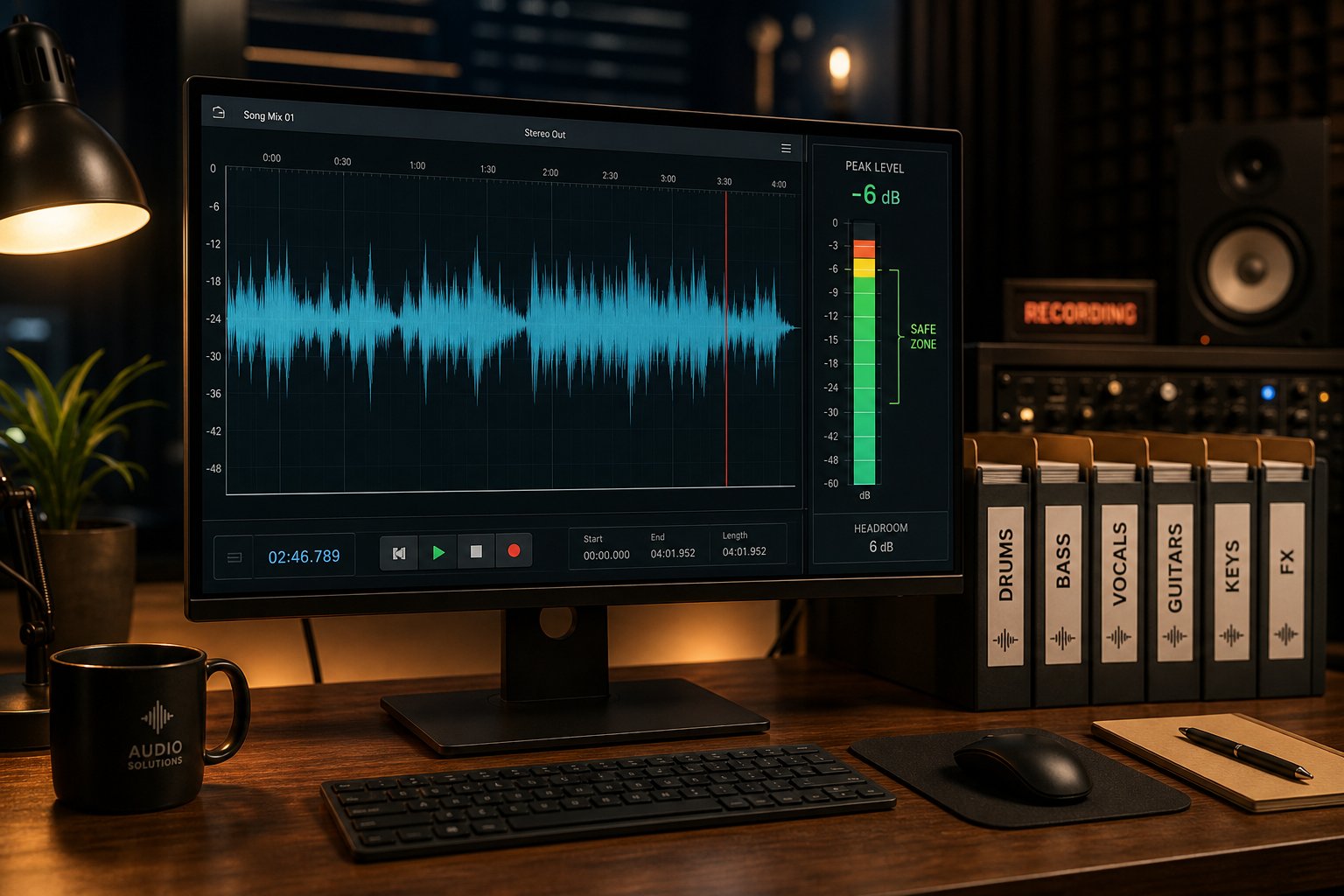
Headroom is the distance between the peak volume level and 0 dBFS (digital ceiling). If the peak of your mix is at -1 dB, you have 1 dB of headroom. If it already reaches 0 dB or higher, clipping occurs—and the AI will process the clipped signal louder, exacerbating the problem.
Track mastering begins long before uploading. According to Avid's gain staging guide, average levels for individual tracks during mixing should range from -18 to -12 dBFS, and the master bus peak should range from -6 to -3 dBFS. This range gives AI mastering engines the necessary space to apply equalization, compression, and limiting without hitting the digital ceiling.
For final pre-mastering, aim for peak values from -3 to -6 dB below 0 dBFS. This gives the algorithm room to add loudness without introducing distortion. Before exporting, remove any limiters or maximizers from the main bus—you want the artificial intelligence to handle the final stage, not compete with processing already applied.
Preparing Stems for AI Mixing Services
If you are uploading individual music tracks for AI mixing rather than a stereo mix for mastering, additional material preparation is required. As stated in the MegaMix AI track preparation guide, each track must start at bar zero and use the same sample rate throughout the session. A track with shifted timing will result in blurred sound balance regardless of the mixing intelligence level.
Export mono audio data—such elements as kick drum, snares, bass, and central vocal parts—as mono files where appropriate. Keep stereo exports only for pads, room microphones, guitars with wide stereo landscapes, and reverberant basses. This provides the AI with clearer information about the intended spatial position of each sound element, rather than forcing it to interpret a stereo file that essentially contains a mono signal.
Use creative effects characteristic of your sound design (e.g., synthesizer distortion or a specific delay pattern for vocals), but avoid applying heavy compression or limiting on stems. Artificial intelligence needs dynamic range to make informed decisions during sound processing. If all stems arrive already pre-compressed, the algorithm has no opportunity to adapt and work effectively.
Here is the complete checklist before uploading the file:
- Export in 24-bit WAV format with your session's original sample rate (44.1 kHz or 48 kHz).
- Remove any limiter or maximizer from the master bus before exporting.
- Check the pre-master track peak values in the range of -6 dBFS to -3 dBFS—never higher than -1 dBFS.
- Check for clipping on individual tracks using peak meters; fix any overloads before exporting.
- When exporting individual tracks, ensure all files start at the same position on the timeline (bar zero).
- Name tracks clearly: Lead Vocal, Kick, Snare, Bass, Synth Pad, etc.
- Solo each track briefly to catch clicks, DC offset, or accidental silence.
- Export a rough reference export of your current mix for comparison after AI processing.
- Never convert MP3 or AIFF back to WAV as a workaround—always export from the original session.
This step takes five to ten minutes and represents the most significant improvement you can make to AI processing results. A clean, properly prepared mix in original resolution provides the algorithm with the maximum amount of information and the best conditions for work—which directly leads to a more polished and professional-sounding result.
To master song mastering well, it is important to first understand: the quality of mastering directly depends on the quality of the audio mix it is based on. Once you have properly prepared your files, the main focus shifts from technical readiness to strategic planning: in which direction is modern mastering technology developing, and what next step would be most reasonable in your specific case?
In which direction is AI-based music accompaniment developing, and what are your next steps
The trajectory of development is obvious. What in 2014 was simple volume optimization has today evolved into artificial intelligence-based music mixing software capable of processing up to 32 separate musical layers while taking the music genre into account. The next phase is already taking shape: processing that considers musical structure—capable of distinguishing verses from choruses, contextually adaptive dynamics that breathe in rhythm with the song's emotional development, and adaptive algorithms that over time learn to understand your preferences rather than simply following statistical averages.
The path from solo mastering to full-fledged AI mixing
Early AI-based mastering systems applied a one-size-fits-all approach to all uploaded files—equalization, compression, and dynamic range limiting. Modern AI tools for mixing are capable of making individual decisions for each musical layer even in complex sessions and exporting editable DAW projects. Data from RoEx, obtained from more than 2 million processed mixes, shows: the difference between independent and professional releases comes down to loudness levels, tonal balance, and low-frequency control—precisely the aspects that AI handles most reliably. As these models process more genre-specific data, their ability to make creative decisions will become increasingly precise.
Artificial intelligence is unlikely to replace the human ear in assessing the artistic quality of music anytime soon, but it is rapidly eliminating the technical barriers that previously prevented independent music from competing on streaming platforms.
The realm of free solutions continues to expand as well. Now musicians and producers looking for the best free tools for AI mixing and mastering can choose from a wide range of reputable options—from free mastering on the BandLab platform to trial access to paid services. Free plugins for AI mixing, such as trial versions from Sonible or basic tools from iZotope, allow you to experiment with AI assistance in your DAW workflow without spending your budget. For those seeking free solutions for AI mixing or AI audio mixing, the barrier to entry has never been lower.
Choosing the right artificial intelligence tool for your specific situation
The next step depends on where you are right now. If you have never previously processed a track using AI, start with something simple. SongAI's AI-based mastering system This platform is designed specifically for such cases: upload a track—and within a short time, receive a release-ready master disc and hear how your music sounds after professional processing for streaming. Thanks to its focus on speed and the ability to adjust sound quality, it is ideal for a first test—without the need to study complex settings or pay for a subscription.
From here, your path diverges depending on your goals:
- Frequently releasing projects on a limited budget: A mid-tier AI mastering subscription handles a large volume of work without compromising quality. Use the saved funds to invest in higher-quality recordings.
- Developing engineering skills: DAW-integrated plugins will teach you to make the right processing decisions. Use AI suggestions as a starting point, then develop your skills independently.
- Working with raw tracks: Platforms like RoEx Automix or Cryo Mix provide a free AI-powered music finalization workflow—upload tracks, receive a balanced mix, and refine it in your DAW.
- High-stakes releases: Use AI for drafts and references during production, then hire a human engineer for the final version that goes to market.
Producers who achieve the best results in 2026 will not choose between artificial intelligence and human professionalism. They will use both tools strategically: algorithms handle the technical foundation, while human expertise provides the creative decisions that give music its unique feel. Whether you use free mixing and mastering services during the material creation stage or invest in premium processing before release, the most sensible approach is one where the tool perfectly matches the task at hand.